
AI Teacher With Voice: What Changes When Learners Hear Instead of Read
An AI teacher with voice changes something more fundamental than presentation format. Reading is deliberate: learners skim, skip, and re-read at their own pace. Listening is sequential and time-bound, which imposes a different cognitive load and produces different completion behaviour. Understanding where that helps and where it hurts matters more than whether the Voice Cloning output sounds convincing, because a natural voice reading badly structured content is still badly structured content. Key Takeaways 🖥️ Sign In to Access Your Dashboard Where Audio Outperforms Text Long-form explanation: A twenty-minute conceptual explanation is tiring to read and comfortable to listen to. Completion rates on longer modules improve noticeably when the primary channel is audio. Commuting and field contexts: Learners in transit, on site, or between client visits cannot read but can listen. In the GCC, where commutes are long and much of the workforce is mobile, this is a larger share of learning time than most providers assume. Procedural walkthroughs: Where a learner is doing something with their hands, audio leaves their eyes free. This is why software training with narrated steps outperforms written instructions for hands-on tasks. Emotional and tonal content: Anything involving customer interaction, difficult conversations, or tone benefits from being heard, because tone is the subject matter. Where Audio Underperforms Reference material: Anything a learner will return to and search. Audio is linear and unsearchable, which makes it a poor container for information people need to look up. Dense technical specification: Numbers, thresholds, code, and configuration values are harder to retain by ear and much harder to verify. Text with audio explanation around it works better than audio alone. Comparison content: Tables and side-by-side comparisons rely on spatial layout. Reading a comparison aloud loses the structure that makes it comprehensible. Learners working in a second language: This one cuts both ways. Some second-language learners find audio easier because it carries prosody. Others find it much harder because they cannot control pace or re-read. Provide both and let them choose. Content type Audio Text Best approach Conceptual explanation Strong Adequate Audio primary Procedural walkthrough Strong Adequate Audio with visual steps Reference tables Poor Strong Text only Technical specifications Poor Strong Text with audio summary Customer interaction skills Strong Weak Audio primary Compliance policy detail Adequate Strong Text with audio overview The Familiar Voice Effect In cohort programmes, hearing the instructor who runs the sessions creates continuity that a generic narration voice does not. Learners report the material feeling connected to the programme rather than bolted on. This is the practical argument for cloning your own instructors rather than selecting a stock voice. The operational argument is stronger still: an instructor records once, and every subsequent module carries their voice without further studio time. That said, the consent and licensing questions this raises are substantive rather than administrative, and should be settled before recording. We cover them in voice consent for instructor cloning, and the comparative provider landscape in AI voice cloning tools for training content. 📄 Generate a Free PDF Sample Course in Your Cloned Voice Writing for the Ear Content written to be read does not work when spoken. Four adjustments matter. Shorter sentences: A sentence a reader can parse across two lines becomes hard to follow when heard once. Signposting: Listeners cannot see headings, so the structure has to be stated. “There are three things to check here. The first is…” does work that a heading does on a page. Repetition of key terms: Readers scan back. Listeners cannot, so important terms need restating rather than being replaced with pronouns. No visual references: “As shown above” is meaningless in audio. Describe rather than point. Most providers generate audio from content written for reading and then wonder why comprehension is weaker. The script is the variable, not the voice. Accessibility and Transcripts Always publish a transcript alongside audio. Three reasons, and only the first is the one people think of. Accessibility requirements under standards such as WCAG generally expect a text alternative for audio content. Beyond compliance, transcripts make content searchable, which restores the one thing audio removes. And a meaningful proportion of learners simply prefer reading, and forcing audio on them lowers completion rather than raising it. What Changes in Production Economics To be clear about scope: voice delivery does not improve weak content. A clear instructor voice narrating a poorly structured module produces a well-narrated poor module. What it affects is production economics. Narration for a new module no longer requires studio time or the instructor’s availability, so audio stops being reserved for flagship courses and becomes available across the catalogue. Language variants come from the same source rather than requiring separate recording. For a provider with a 25-course catalogue Metric Before After Courses with audio narration 4 25 Instructor studio hours per new module 6 0 Cost to re-record after a content change Full session Regenerate Completion rate, modules over 20 minutes 52% 71% Arabic audio available No Same source Adding Audio to Your Catalogue Frequently Asked Questions If you are about to add narration across your catalogue, rewrite the scripts first. The voice is not the variable that decides whether it works. 👉 Book a Live Platform Demo with an EdTech Expert
How Accurate Is AI-Generated Training Content? Hallucination Risks and Safeguards

AI training content accuracy is a real risk and no vendor should tell you otherwise, including us. Every generative system produces confident errors some proportion of the time, which matters far more in compliance training than in soft skills, and the question worth asking is not whether a platform hallucinates but what structural safeguards sit between generation and a learner reading it. In practice that means grounding generation in your own material, keeping an instructor in the approval path, and making sure the AI Coach escalates rather than guesses when it does not know. Key Takeaways 🖥️ Sign In to Access Your Dashboard Where AI Training Content Actually Goes Wrong Not all errors are the same, and treating them as one category makes them harder to control. Fabricated specifics: Invented statistics, invented regulation numbers, invented citations. The most dangerous category because it is the most plausible-looking. Confident outdated information: The content was correct at some point. Regulatory thresholds, product specifications, and internal policy all move. Missing organisational context: Technically accurate and wrong for you. Generic best practice presented as your procedure is a common failure in generated compliance content. Overconfident tone on uncertain ground: Generated content rarely hedges appropriately, and learners read confidence as authority. Answering rather than escalating: A learner asks something outside the material and gets an answer instead of a handover. This is the failure mode with the highest consequence and it is a design choice, not a model limitation. Why Compliance Training Is the High-Risk Case The consequence of an error scales with what the training is for. Training type Consequence of an inaccurate detail Leadership and soft skills Low. Poor advice, correctable Product and systems Moderate. Rework, support load Health, safety, and environment High. Physical risk, regulatory exposure Regulatory and compliance High. Audit failure, liability, client exposure Certification-bearing programmes High. The certificate asserts competence For providers delivering compliance training, this reframes the whole question. You are not just risking a learner learning something wrong. You are attesting to a client that their staff were trained correctly, and that attestation is what they are buying. Which means: the more consequential the content, the more human review it needs. That is not a limitation of AI content generation. It is how it should be used. The Safeguards That Actually Work Ranked by how much risk they remove: 1. Ground generation in your own source material: A system generating from your manuals and SOPs has far less room to invent than one generating from general knowledge. This is the single largest reduction in error rate available, and it is why “upload your content” and “describe your topic” are not comparable workflows. 2. Keep a human in the approval path: Someone qualified reads it before a learner does. This is the safeguard that catches what the others miss, and it is the reason content review is the step you cannot skip during implementation. 3. Design the escalation boundary deliberately: Decide in advance which categories of question the system must refuse and hand over. Regulatory interpretation, individual circumstances, and anything with a legal consequence belong on that list. 4. Version and date your content: Outdated accuracy is still inaccuracy. Content that cannot be audited for when it was last verified will eventually be wrong without anyone noticing. 5. Track confusion signals: If learners are repeatedly confused at the same point, either the content is wrong or it is unclear. Both need fixing and neither is visible without the data. 📄 Generate a Free PDF Sample Course in Your Cloned Voice What to Ask a Vendor About Accuracy The answers here are more diagnostic than any feature list. Question 4 is the uncomfortable one. In almost every case accuracy accountability sits with you, because you approved the content and you hold the client relationship. That is not unreasonable, but it should be explicit rather than discovered later. The full vendor evaluation checklist covers the rest. Our Own Position Vocaliv generates from your material rather than open-ended prompting, roughly 80% of course structure is automated, and the instructor sits in the approval path before content reaches learners. The AI Coach escalates questions outside the material rather than answering them, and the escalation rate is visible to you. What we will not claim: that it never produces an error. It does, less often when grounded in good source material and more often when the source material is thin or contradictory. That is why the review step exists and why we do not describe the product as plug-and-play. For a provider running two 40-learner cohorts: Metric Before After Questions handled without instructor 0% 70%+ Questions escalated to instructor n/a Visible and tunable Learner confusion rate Unmeasured Under 15%, tracked Content review before learner access Varies Required step Frequently Asked Questions If a vendor tells you their system does not hallucinate, that is the most useful thing they will tell you during the evaluation, because now you know how carefully to read everything else they say. 👉 Book a Live Platform Demo with an EdTech Expert
AI Course Generator for Compliance Training: What to Look For
An AI course generator for compliance training needs three things most general-purpose course tools don’t prioritize: source-locked assessments that can’t drift from policy documents, audit-ready completion records, and version control tied to every policy update, and Vocaliv’s AI course builder is built around exactly this set of requirements rather than treating compliance as a generic content category. Key Takeaways: Compliance training is the one course category where “close enough” isn’t good enough. A generic AI course generator built for speed alone can produce content that looks polished but can’t survive an audit, doesn’t verifiably trace every quiz question back to the actual policy, or has no clear record of which policy version a given employee was trained on. Choosing the right tool here means evaluating against a different bar than a typical training program. Why Compliance Content Needs a Different Standard Six of the eight common workplace training categories tolerate imperfection in a way compliance and safety training don’t. A missed anti-harassment refresher or an undocumented safety certification isn’t a content gap, it’s legal exposure, and regulators are increasingly asking for evidence that employees actually understood the material rather than just completed it. That distinction should shape every decision about which AI course generator to trust with this content. What to Look For in an AI Course Generator for Compliance Source-Locked Assessment Every quiz question and correct answer should be verifiably traceable to the actual policy document uploaded, not generated from the model’s general knowledge about the topic. This matters enormously for compliance content specifically, since a quiz question that drifts even slightly from the actual policy language creates a defensibility problem if the training is ever challenged. Audit-Ready Completion Records The platform needs to produce records detailed enough to survive a regulator’s review. Who completed the training, when, against which version of the policy, and with what assessment score, not just a generic “completed” checkbox. Version Control Tied to Policy Updates When a policy changes, the training needs to change with it, and the platform should maintain a clear record connecting each completion to the specific policy version in effect at that time. A course that regenerates silently with no version history creates ambiguity about what employees were actually trained on. Comprehension Verification, Not Just Completion Tracking Regulators increasingly expect evidence that employees understood the material, which means assessments need to actually test comprehension of key concepts and exceptions, not just confirm a learner clicked through every slide. Generic vs. Compliance-Built AI Course Generators Requirement Generic AI Course Tool Compliance-Built Generator Assessment sourcing May generate from general knowledge Source-locked to actual policy document Completion records Basic pass/fail Audit-ready, tied to specific policy version Version control Often absent Explicit, tracked per policy update Comprehension verification Optional Built-in as a core requirement Review standard Flexible depending on use case Non-negotiable expert review every cycle Speed Doesn’t Mean Skipping the Review Standard It’s worth being direct about this. AI generation compresses build time for compliance content the same way it does for any other course category, often from weeks down to a reviewable draft in minutes. What shouldn’t compress is the review standard. Every AI-generated compliance course still needs a compliance or legal review pass confirming the content matches current policy exactly and that every assessment question is defensible, regardless of how fast the draft came together. This same principle, speed at the generation stage paired with an unchanged review bar, applies across every regulated training category, not just compliance specifically. For a broader look at how AI-assisted generation compresses development time while keeping quality standards intact, read our guide on cutting training content development time to understand exactly where the time savings come from and where they shouldn’t. A Practical Compliance Content Checklist Frequently Asked Questions Choosing an AI course generator for compliance training means evaluating it against a legal-exposure bar, not just a content-quality bar. Speed is genuinely available here the same way it is everywhere else, but the audit trail and review standard are the two things that should never get compressed alongside it. If your organization is evaluating a dedicated solution for this category specifically, Vocaliv’s compliance training platform is built around these exact requirements rather than repurposing a general course tool for regulated content.
Why Cohort-Based Learning Platforms Get 85% Completion (And Self-Paced Courses Don’t)
A cohort-based learning platform groups learners together on a shared schedule with live interaction and peer accountability, and Vocaliv is built around the same completion mechanics driving this model’s 85% to 95% completion rates, compared to just 5% to 15% for self-paced courses covering identical material. Key Takeaways: Here’s a number that should bother every L&D leader running self-paced training: 5% to 15% completion. That’s the typical range for a self-paced course, meaning the other 85% to 95% of enrolled learners never finish content the organization paid to build and deploy. Cohort-based programs covering the exact same material routinely flip that number, hitting 64% to over 90% completion. Same content, radically different outcome. The explanation isn’t better slides, it’s a different set of psychological forces acting on the learner. The Completion Gap, By the Numbers Across more than 32,000 courses analyzed on one major platform, cohort-based programs averaged 64.2% completion against 48.2% for self-paced courses on the same system, a real gap even within a single platform’s own data. Broader industry figures for cohort-based cohorts specifically (with live sessions and fixed schedules) push that range up to 85–95%, while typical self-paced MOOC-style courses fall as low as 3–15%. That range is too wide to attribute to content differences. The organizations running these numbers are frequently the same team, reusing much of the same material, just changing the delivery model. The Four Forces Doing the Actual Work Cohort-based programs don’t succeed because they’re more polished. They succeed because four specific behavioral mechanisms are present that self-paced delivery removes by default. 1. A Fixed Deadline That Doesn’t Move Self-paced courses let a learner push “start tomorrow” indefinitely, because tomorrow always still works. A cohort has a start date and an end date shared by everyone else enrolled. That fixed external deadline does what internal motivation alone rarely does: it converts “someday” into “this week,” because the cohort moves forward whether an individual learner does or not. 2. Visible Peers Create Social Proof and Pressure In a cohort, a learner can see that dozens of other people are actively working through the same material on the same timeline. That visibility triggers a basic social dynamic: nobody wants to be the one person visibly behind. Self-paced learners study in isolation, with no peer signal at all, positive or negative, to nudge them forward. 3. Public Commitment Raises the Cost of Quitting Enrolling in a cohort with a fixed group and a shared kickoff is a public commitment in a way a self-paced signup never is. Behavioral research on commitment consistently shows that a public, specific commitment is harder to walk away from than a private, vague one. Dropping out of a cohort feels like disappointing a group; abandoning a self-paced course is invisible to everyone, including, eventually, the learner themselves. 4. Live Human Contact Interrupts the Drop-Off Moment The single most common failure point in any course, self-paced or cohort, is the moment a learner gets stuck and has no immediate path forward. A self-paced learner hits confusion and closes the tab, often permanently. A cohort learner hits the same confusion right before a scheduled live session, gets it answered by an instructor or a peer, and keeps moving. That single interruption, delivered at the right moment, is worth more to completion than almost any amount of additional content polish. Why Adding a Start Date Doesn’t Automatically Fix This Here’s the trap many organizations fall into: scheduling a start date for otherwise self-paced content and assuming that alone makes it “cohort-based.” It doesn’t. Without visible peers, a real live component, and genuine social stakes, a scheduled self-paced course keeps most of the completion problems of self-paced delivery while adding none of the four forces that actually drive the gap. Self-Paced vs. Cohort-Based: What Actually Changes Factor Self-Paced Course Cohort-Based Platform Deadline Flexible, movable Fixed, shared by the group Peer visibility None Visible cohort, active progress Public commitment Private signup Public enrollment, group kickoff Response to being stuck Learner self-resolves or quits Live session or peer resolves it Typical completion rate 5–15% 64–95% Where This Matters Most for Corporate Training The ROI case for switching delivery models is clearest in exactly the programs leadership already measures completion on: onboarding, where a fixed cohort schedule shortens ramp time, and compliance training, where completion percentage is often the number reported directly to a regulator or auditor. A compliance program stuck at 40% completion under a self-paced model isn’t a content problem worth fixing with better slides, it’s a delivery-model problem worth fixing with the four forces above. Understanding why cohort delivery works is only half the decision. The other half is knowing exactly what to check in a platform before you buy, since not every tool claiming to be “cohort-based” actually builds in the peer visibility and live-interaction mechanics driving these numbers. For the full evaluation framework covering exactly what separates a genuinely cohort-based platform from one that just adds a schedule, read our cohort learning platform checklist before you shortlist a vendor. Frequently Asked Questions The 85% number isn’t a content achievement, it’s a behavioral one. Cohort-based platforms work because they put four specific psychological forces to work that self-paced delivery quietly removes, and understanding that mechanism is the difference between picking a platform that genuinely delivers it and one that just adds a calendar.
What Are Some Examples Of Professional Training Programs In The Workplace?

Professional training programs in the workplace include onboarding, compliance training built and delivered through AI platforms like Vocaliv, technical skills, product knowledge, leadership development, soft skills, and safety training, each structured to lift performance, reduce risk, and support employee retention. Key Takeaways: Every L&D team knows the gap. Leadership approves eight training programs on paper, but the team has capacity to properly build and maintain two. The rest become outdated PDFs in a shared folder that new hires skim once and forget. The problem was never knowing which programs matter; it’s producing and running them all without tripling headcount. Here are the professional training programs that show up in nearly every workplace, what each one covers, and how teams now deploy them without the traditional build cost. 1. Onboarding and Orientation Training Onboarding covers company policies, tools, team structure, and role expectations for new hires. Done well, it cuts ramp time measurably; done badly, it’s the top driver of 90-day attrition. Strong programs pair structured modules with role-specific checkpoints, so a new sales hire and a new engineer don’t sit through identical content. 2. Compliance Training Compliance programs cover anti-harassment, data privacy (GDPR, local regulations), cybersecurity awareness, workplace conduct, and industry-specific obligations. These are the programs with legal consequences attached, which means completion tracking and audit evidence matter as much as the content itself. Typical examples include annual anti-harassment refreshers, information security certification, and regulated-industry modules like financial services conduct rules. 3. Technical and Hard Skills Training This covers the job-specific competencies employees need: software systems, equipment operation, coding, data analysis, or trade certifications. It’s the category with the shortest shelf life, since tools and processes change quarterly. 4. Product Knowledge Training Customer-facing teams need to explain features, handle objections, and resolve issues. Product training keeps sales, support, and success teams current with every release, and it’s the program most companies update least often despite needing it most. 5. Sales Training Prospecting, discovery, negotiation, and closing skills, usually built around a methodology like SPIN or MEDDPICC. High-performing teams treat this as a monthly reinforcement cycle rather than an annual kickoff event. 6. Leadership and Management Development These programs build the internal bench: delegation, feedback, performance management, and decision-making for first-time and senior managers. 54% of employees say they want leadership training, making it the most requested development track. 7. Soft Skills Training Communication, time management, teamwork, and conflict resolution. Harder to tie to KPIs but strongly correlated with team productivity and lower interpersonal friction. 8. Safety Training Physical safety protocols, emergency procedures, and equipment handling, mandatory in manufacturing, construction, logistics, and healthcare. Like compliance, it lives or dies on documentation and refresh discipline. Program Comparison: Effort, Frequency, and Risk Program Type Who Needs It Refresh Cycle Regulatory Risk Traditional Build Effort Onboarding All new hires Quarterly review Low 40–60 hrs Compliance All employees Annual, mandatory High 30–50 hrs Technical Skills Role-specific Per tool/process change Medium 20–40 hrs Product Knowledge Customer-facing teams Every release Low 15–25 hrs Sales Revenue teams Monthly reinforcement Low 25–40 hrs Leadership Managers, high-potentials Bi-annual Low 40–60 hrs Soft Skills All employees Annual Low 15–30 hrs Safety Site/field roles Annual, mandatory High 25–40 hrs The Two Programs That Can’t Afford Shortcuts Look at the risk column above. Six of the eight programs tolerate imperfection; compliance and safety don’t. A missed anti-harassment certification or an undocumented safety refresher isn’t a training gap, it’s legal exposure, and regulators increasingly expect evidence that employees actually understood the material, not just clicked through it. This is also where AI changes the equation most. Policy documents convert directly into structured courses with source-locked quizzes, completion dashboards generate the audit trail automatically, and an AI assistant answers employee policy questions instantly instead of routing them to HR. To understand how regulators and enterprises are adapting these requirements, read our full analysis of workplace compliance training in the AI era before your next audit cycle. How Teams Run All Eight Programs Without Tripling Headcount The math that used to make full coverage impossible: eight programs × 30–50 build hours each, plus continuous updates, plus the instructor time spent answering repetitive learner questions. The current playbook compresses each step: One L&D manager can realistically maintain the full program portfolio this way, refreshing compliance annually and product training every release without backlog. Frequently Asked Questions The organizations winning on retention aren’t running more training programs than everyone else. They’re running the same eight, kept current, with completion evidence to prove it, at a fraction of the traditional operational cost.
Top eLearning Authoring Tools with AI-Powered Features
The top eLearning authoring tools in 2026 combine AI content generation, voice cloning, SCORM/xAPI export, and adaptive learning to help L&D teams produce courses at scale without proportionally growing headcount. Platforms like Vocaliv, Articulate 360, and Easygenerator are setting the pace. Key Takeaways: Why Most AI Authoring Tools Still Miss the Mark Most platforms that added “AI” to their feature list in 2025–2026 automated the least expensive part of course production: outline generation. A tool that generates H2 headings faster does not solve the core L&D throughput problem. Teams still spend significant time producing, narrating, localizing, and updating content that sounds credible and human. The tools earning attention in 2026 are the ones that attack narration, localization, and update cycles simultaneously, not just first-draft generation. The 7 Top eLearning Authoring Tools Ranked by AI Depth 1. Vocaliv – AI Voice Cloning + Full Course Production Vocaliv is the only platform on this list with native AI voice cloning built into the course authoring workflow. A trainer records a voice sample once. Vocaliv clones that voice and uses it to narrate every module, every update, and every language version of every course automatically, indefinitely. For L&D teams whose trainers are the credibility anchor of their content library, this eliminates the single most expensive recurring cost in content production: re-recording sessions whenever a policy changes, a product updates, or a course gets localized. 2. Articulate 360 (Storyline + Rise) Articulate 360 bundles two authoring tools that together cover almost every training format. Storyline 360 handles complex branching scenarios and pixel-level interaction design. Rise 360 produces clean, responsive microlearning through a block-based interface. In 2026, Articulate added an AI course outline builder and generative text suggestions useful for first drafts, though the output requires significant editing. Pricing starts at $1,499 per seat annually, the highest entry cost on this list. 3. iSpring Suite AI iSpring lives inside Microsoft PowerPoint, making it the lowest-friction option for teams with existing slide-based training libraries. Its 2026 AI upgrade added a Course Creation Helper that converts raw documents into structured course outlines with quiz scaffolding. Best for organizations transitioning legacy PowerPoint content into interactive eLearning without rebuilding from scratch. 4. Mindsmith Mindsmith generates course content from a topic prompt and lets teams review, edit, and publish directly. It’s built for speed of first draft over design depth, with real-time collaboration features that keep subject matter experts and L&D leads aligned during reviews. Pricing starts free and scales to $75 per month for business teams. 5. Easygenerator Easygenerator’s Doc-to-Course feature converts uploaded PDFs, Word files, or PowerPoint decks into structured eLearning modules in minutes. EasyTranslate handles localization across 75+ languages from a single parent course, with updates applying across all language versions simultaneously. Built for organizations where subject matter experts not professional instructional designers own the content creation process. 6. Adobe Captivate Adobe Captivate handles VR/AR simulations and software walkthroughs better than any other tool on this list. The 2026 version added AI-powered captioning and expanded immersive content support. Best for regulated industries requiring high-fidelity technical simulations. Captivate carries the steepest learning curve and is not designed for rapid content iteration cycles. 7. Synthesia Synthesia converts text scripts into professional training videos using AI avatars in 140+ languages. It removes camera equipment, studio booking, and video editing from the video training workflow entirely. Best for onboarding and compliance content where consistent visual presentation matters more than personalized trainer voice. Feature Comparison: AI Capabilities Across Top eLearning Authoring Tools Tool Voice Cloning Doc-to-Course AI Auto Quiz Gen Multilingual AI SCORM/xAPI Entry Price Vocaliv ✅ Native ✅ ✅ ✅ ✅ vocaliv.com Articulate 360 ❌ TTS only Partial ✅ ❌ Native ✅ $1,499/yr/seat iSpring Suite AI ❌ ✅ ✅ ✅ ✅ Per seat Mindsmith ❌ ✅ ✅ Limited ✅ Free / $39+/mo Easygenerator ❌ ✅ ✅ ✅ (75+ lang) ✅ Per seat Adobe Captivate ❌ ❌ Partial ❌ ✅ Subscription Synthesia ❌ Avatars only ✅ ❌ ✅ (140+ lang) ❌ Per video min The Voice Layer: Why Narration Is the Unsolved Problem in AI Authoring Every tool in the comparison table above offers some form of automated narration. None of them except Vocaliv preserves the actual voice of the trainer who built the course content. Generic text-to-speech and AI avatar narration produce content that sounds produced. Learners register the difference. Completion rates and knowledge retention both drop when the narration feels detached from the human whose expertise the course is built on. Vocaliv’s AI voice cloning technology solves this with a one-time setup: the trainer records a sample, the voice is cloned, and every piece of content that trainer authors across every update and every language sounds like them. Not a robot approximation of them. For organizations managing content libraries that update quarterly, this is not a convenience feature. It’s an operational cost reducer with a measurable return on every content refresh cycle. Frequently Asked Questions Build a Content Pipeline That Scales With Your Programs The L&D teams outperforming their peers in 2026 matched the right authoring tool to their real production constraints and used AI to multiply output without multiplying cost. Vocaliv brings together AI voice cloning, course scaffolding, automated narration, and multilingual delivery in one platform designed specifically for training organizations that need to sound human at any volume. Trusted by enterprises globally, with a content infrastructure built for training providers who can’t afford a production bottleneck Vocaliv is the authoring platform for teams ready to scale.
AI Voice Coach: Your 24/7 Personal Speech and Communication Trainer
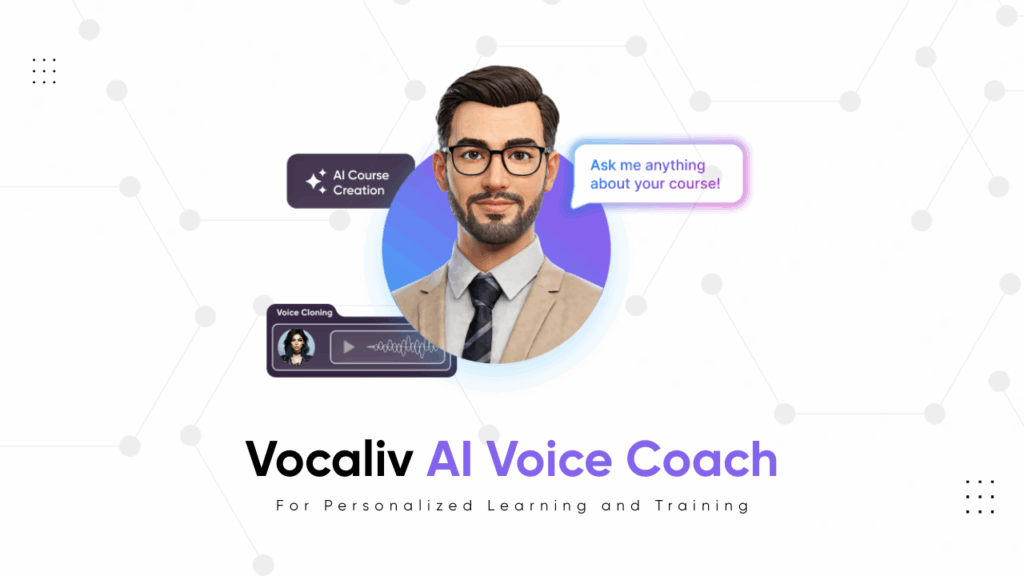
Communication has become a key skill in education, business, and leadership. However, improving your speaking skills isn’t always easy – traditional coaching can be time-consuming, expensive, and limited to scheduled sessions. This is where an AI voice coach comes in handy, offering personalized feedback and practice whenever it’s convenient for you. This blog explains how and why AI-powered voice coaching is transforming education and corporate training, as well as how you can use it to develop stronger communication skills. What is an AI Voice Coach? An AI voice coach is a digital communication trainer that listens to your speech, provides instant feedback, and guides you toward better pronunciation, tone, pacing, and clarity. With voice-to-voice interaction available 24/7, learners can practice anywhere, anytime — whether preparing for a presentation late at night or rehearsing for an important meeting on the go. Key Features That Set AI Voice Coaching Apart 1. 24/7 Voice-to-Voice Interaction Unlike traditional coaching that requires scheduling, an AI coach is always available. You can have a back-and-forth conversation with the AI to simulate real interactions, making practice more natural and engaging. 2. Voice Cloning for Personalized Training Advanced AI voice coaches can use voice cloning technology to replicate your speech patterns and give feedback on how to improve. This makes training hyper-personalized — you can hear exactly how you sound now versus how you could sound with adjustments. 3. AI Course Creation for Continuous Learning Some platforms go beyond coaching and allow you to build AI-generated speech training courses tailored to your learning goals. This is ideal for corporate training or academic institutions looking to scale communication improvement programs. Why AI Voice Coaching Matters Personalized Learning Experience An AI voice coach analyzes your unique speaking style and focuses on the areas that need improvement the most — whether it’s pronunciation, tone, or pacing. Real-Time Feedback Instead of waiting days or weeks for a coaching session, you receive actionable feedback immediately, helping you improve faster. Confidence Building Frequent practice, combined with supportive feedback, helps reduce fear of public speaking and builds confidence in high-pressure situations. Cost-Effective Training AI coaching scales easily. Whether you’re training one person or an entire organization, the cost per learner remains affordable. How It Works AI voice coaches use speech recognition, natural language processing, and machine learning to deliver feedback. Here’s a typical workflow: Practical Applications in Education and Business For Schools and Universities In Case Of Corporate Training & L&D For Individuals Best Practices to Maximize Results FAQs Q1: Is it safe to use voice AI? Yes, using voice AI is generally safe if you choose reputable providers, enable privacy settings, and ensure data is encrypted and handled according to security standards. Q2: What is the best voice training AI? Top voice training AI tools in 2025 include Vocaliv, Murf AI, Play.ht, and Resemble AI, known for realistic speech, voice cloning, and customization. The best choice depends on whether you need narration, accent training, or branding voices. Q3: Can I train my own AI voice? Yes, you can train your own AI voice using platforms like Vocaliv, Resemble AI, or Play.ht by providing audio samples, which the AI uses to create a custom voice model. Effective communication can open doors to career growth, academic success, and stronger leadership. With Vocaliv’s AI voice coach, you can train your voice anytime and track your progress with data-driven insights. Ready to improve your speech and communication skills? Explore Vocaliv’s AI voice coach and start your journey to confident speaking today.
Best AI Personal Assistant vs. Virtual Assistant: Which is Right for You?
Do you ever feel like there just aren’t enough hours in the day? Between work deadlines, family commitments, and endless digital distractions, staying organized can feel impossible. You’re constantly switching between apps, missing reminders, or spending hours on repetitive tasks that drain your energy. That constant overwhelm is frustrating. Tasks slip through the cracks, your productivity takes a hit, and instead of focusing on the big picture, you’re buried in the small stuff. Here’s the good news: with the rise of artificial intelligence and remote work solutions, you now have two powerful options—AI personal assistants and human virtual assistants. Both can save you time and stress, but which is right for your needs? In this blog, we’ll explore the Best AI Personal Assistant, how it compares to a traditional virtual assistant, and how you can decide which one fits your lifestyle or business best. What Is an AI Personal Assistant? Key Features & Definition An AI personal assistant is a digital tool powered by artificial intelligence that helps you automate tasks, manage schedules, and stay on top of priorities. Unlike basic to-do apps, the best AI personal assistants can understand natural language, respond to voice or text commands, and learn from your habits to become smarter over time. These assistants are often built into apps or platforms you already use. Popular examples include Google Gemini (Assistant), ChatGPT, Motion, and Reclaim. They excel at task automation, sending smart reminders, booking calendar events, and integrating seamlessly with your email, messaging, or productivity tools. Think of them as always-available, AI-powered reminders and productivity partners. What Is a Virtual Assistant? A virtual assistant (VA) is a real person you hire (full-time, part-time, or freelance) to handle tasks remotely. Virtual assistants are especially common for entrepreneurs, startups, and busy professionals who need help with admin tasks, research, or even customer support. Unlike AI assistants, VAs bring the human touch—they can think creatively, manage complex situations, and handle sensitive tasks that require judgment or empathy. Many VAs specialize in certain fields, like bookkeeping, social media management, or sales support. In short: AI assistants excel at automating tasks, while virtual assistants excel at human judgment and adaptability. Best AI Personal Assistants to Try in 2025 If you’re considering the best AI personal assistant, here are some standout options: Each of these tools offers unique strengths—whether you need voice commands, calendar optimization, or privacy-first features. What Makes the Best AI Personal Assistant? When comparing tools, look for these key criteria: These features are what separate an average tool from the best AI personal assistant. Benefits of Using a High-Quality AI Personal Assistant For many people, adopting the best AI personal assistant feels like gaining an extra pair of hands. Challenges & Limitations of AI Assistants Even the best AI personal assistant comes with limitations: These challenges highlight why some people still prefer the flexibility of a human virtual assistant. AI Personal Assistant vs. Virtual Assistant: Key Differences Feature Best AI Personal Assistant Virtual Assistant (Human) Cost Often cheaper, free tiers available Higher cost, hourly or monthly rates Availability 24/7, no breaks Limited to working hours, time zones Speed Instant automation Depends on human response time Complexity Handling Limited for nuanced tasks Great for judgment-based, creative work Scalability Easily scalable across devices Harder to scale without hiring more VAs Personalization Learns from habits but less human empathy Fully personalized with human touch FAQs Q1: What is the best AI personal assistant for scheduling? Tools like Motion and Reclaim are excellent for smart scheduling and calendar management. Q2: Are AI personal assistants good at voice commands? Yes—Google Gemini and Siri excel at natural language understanding and voice control. Q3: Which is safer: AI personal assistant or virtual assistant? Both have risks—AI may raise privacy concerns, while VAs require trust in human judgment. Q4: How much does the best AI personal assistant cost? Many offer free plans; premium options range from $5–$30 per month. How to Choose the Right One for You Future Trends in AI Personal Assistants Looking ahead, the best AI personal assistants will: The debate of Best AI Personal Assistant vs. Virtual Assistant isn’t about which is “better”—it’s about which is right for your needs. If you want automation, speed, and cost efficiency, go with an AI assistant. If you need human judgment and creativity, hire a VA. For many busy professionals, the best answer might be a hybrid approach. Whichever you choose, one thing is clear: the right assistant—digital or human—can transform your productivity, reduce stress, and give you back precious time to focus on what really matters.
5 Best AI Coaching Platforms to Transform Corporate Training in 2025
Corporate training has always been challenging. Traditional workshops are expensive, time-consuming, and often fail to keep employees engaged. Many companies struggle to scale one-on-one coaching, and employees don’t always get the personalized support they need to grow their skills. This leads to skill gaps, lower productivity, and frustrated employees who may feel their professional development is stagnant. In today’s fast-changing world of hybrid work, emerging technologies, and global competition, businesses can’t afford to let employee development fall behind. Enter AI Coaching Platforms — intelligent tools that use machine learning, natural language processing, and analytics to deliver personalized, scalable, and engaging coaching. These platforms help employees build leadership skills, improve performance, and stay motivated. In this article, we’ll explore the 5 best AI coaching platforms to transform corporate training in 2025, their key features, benefits, and tips for choosing the right one. What Are AI Coaching Platforms? AI coaching platforms are digital coaching tools that leverage artificial intelligence to guide employees in skill development, behavior change, and goal achievement. They go far beyond simple chatbots — offering adaptive learning paths, micro-coaching sessions, real-time feedback, and even behavioral simulations. Some platforms use a hybrid model that blends AI-led coaching with human coaches, allowing employees to benefit from both automation and human empathy. Others are fully AI-driven, perfect for organizations looking to scale cost-effectively. Core Features to Look for in AI Coaching Platforms When evaluating corporate AI coaching software, pay attention to these must-have features: Emerging Trends in AI Coaching Platforms (2025) The world of digital coaching is evolving fast. In 2025, expect to see: 5 Best AI Coaching Platforms to Try in 2025 Here are the top platforms leading the way in 2025 corporate training: 1. Vocaliv Vocaliv is a cutting-edge AI coaching platform designed for education and corporate training. It offers AI-powered lesson planning, assessments, and coaching tools that help businesses personalize employee learning. Its interactive interface allows employees to engage with AI in real time, track progress, and receive actionable feedback. For companies looking to integrate coaching with continuous learning and performance tracking, Vocaliv is an excellent choice. 2. CoachHub (AIMY™) CoachHub offers a global coaching network combined with its AI-powered tool AIMY™, which matches employees with the right coach and provides progress insights. Its blended coaching model is ideal for enterprises looking for scalable, consistent employee development programs. 3. Valence Valence specializes in manager coaching aligned with organizational culture and values. Its platform helps leaders improve communication, team performance, and cross-cultural collaboration through AI-led coaching sessions and engagement metrics. 4. Retorio Retorio uses behavioral intelligence and video analysis to deliver personalized feedback. It’s ideal for sales teams and managers who need to improve presentation skills, empathy, and persuasion techniques. The platform’s AI-based behavioral coaching is one of the most data-driven options available. 5. LearnWorlds AI Coaching Tools LearnWorlds, known for its e-learning solutions, has expanded into AI coaching features that integrate with corporate training programs. It enables businesses to deliver custom learning paths, employee feedback, and scalable coaching solutions inside one LMS. Benefits of Using AI Coaching Platforms Using AI coaching software offers clear advantages for organizations: Challenges & Risks to Consider While powerful, AI coaching platforms aren’t without challenges: FAQs What is the best AI coaching platform for managers? CoachHub and Valence are great options for leadership and management coaching, offering AI insights plus human expertise. Do AI coaching platforms replace human coaches? Not entirely. Most use a hybrid approach — AI automates routine coaching, while humans handle complex cases. How do I measure ROI from AI coaching? Track metrics like skill improvement, engagement scores, employee retention, and business KPIs. Are AI coaching platforms expensive? Pricing varies, but most platforms use subscription or per-seat models, which are more cost-effective than traditional in-person coaching. How to Choose the Right AI Coaching Platform When selecting a platform, consider: The Next Evolution of AI Coaching By 2026 and beyond, expect multimodal AI coaches (voice, video, and text), more emotionally intelligent systems, and AI coaching embedded directly into workflow tools. As regulations catch up, we’ll also see more transparency and ethical standards in AI-driven learning. AI coaching platforms are no longer a futuristic concept — they’re here, transforming how businesses upskill and engage employees. Whether you need leadership training, soft skills development, or company-wide coaching at scale, platforms like Vocaliv, CoachHub, Valence, Retorio, and LearnWorlds offer powerful, cost-effective solutions. Ready to revolutionize your corporate training strategy? Explore these top AI coaching platforms, book a demo, and start creating a personalized, scalable coaching program for your workforce today. Your employees — and your bottom line — will thank you.
Top 10 Google Classroom Alternatives Teachers Should Try in 2025
Teaching in 2025 looks nothing like it did a few years ago. With remote learning, hybrid classrooms, and an increased need for personalized education, teachers need more than just a digital classroom—they need a complete ecosystem that supports interactive learning, collaboration, and real-time feedback. While Google Classroom has been a popular choice, many educators are finding it limited when it comes to customization, analytics, and student engagement. The problem? Relying on one platform can leave teachers stuck with fewer options and students less engaged. The good news is that there are several powerful Google Classroom Alternatives designed to meet modern teaching needs. From AI-powered lesson planning to interactive learning experiences, these platforms are reshaping how teachers deliver education. Let’s dive into the top 10 alternatives every teacher should try in 2025. 1. Vocaliv Leading the pack in 2025 is Vocaliv, a next-gen education platform that combines AI with teacher-friendly tools. It offers assessments, quizzes, and an innovative AI lesson plan generator that saves hours of preparation time. With built-in analytics, teachers can monitor student performance in real-time and adapt lessons instantly. Key Features: Best for: Teachers who want automation, efficiency, and personalized learning experiences without sacrificing creativity. 2. Google Classroom Although we’re discussing Google Classroom Alternatives, it’s still important to acknowledge Google Classroom itself. As a free and widely accessible tool, it has been the go-to solution for teachers worldwide. However, it falls short in areas like detailed reporting, gamification, and customization, which is why many educators seek alternatives. Key Features: Best for: Schools that need a straightforward, free, and easy-to-use LMS. 3. Beekast Beekast transforms learning into an interactive experience. It allows teachers to integrate games, polls, quizzes, and brainstorming activities into lessons. Its session notes feature automatically generates lesson summaries, saving time and ensuring no student misses important points. Best for: Teachers who want to boost student engagement through interactive activities. 4. EducateMe EducateMe is a rising star in the LMS space, offering drag-and-drop course creation, multimedia support, and live sessions. Its AI assistant helps teachers build content faster and provides insights on student engagement levels. Best for: Educators who want a balance of automation and creativity in course design. 5. Canvas LMS Canvas has long been a staple in higher education. Known for its robust integrations and scalability, it’s perfect for institutions that need a full-fledged LMS. With powerful reporting tools and third-party app compatibility, Canvas makes course management seamless. Best for: Universities and large institutions requiring advanced reporting and scalability. 6. Nearpod Nearpod makes learning interactive by integrating slides, videos, quizzes, and gamified elements. Its real-time feedback feature ensures students stay engaged during lessons, whether online or in person. Best for: Teachers who want to create interactive and engaging lessons. 7. Brightspace by D2L Brightspace is an adaptive learning platform that personalizes content based on student progress. With strong accessibility features, it ensures inclusivity for all learners. Its AI-driven analytics give teachers valuable insights into classroom performance. Best for: Schools that prioritize accessibility and adaptive learning. 8. Sakai Sakai is an open-source LMS that thrives on community-driven innovation. It supports collaboration tools, discussions, and assessments, making it flexible for different teaching models. Best for: Schools that want a customizable LMS and have IT support for implementation. 9. Chamilo Chamilo is a lightweight LMS designed for ease of use. It’s multilingual and cost-effective, making it popular among NGOs and small institutions. While not as feature-rich as larger platforms, it covers the essentials effectively. Best for: Educators seeking a simple and budget-friendly solution. 10. ClassDojo ClassDojo focuses on communication and engagement between teachers, parents, and students. It encourages positive classroom behavior, student motivation, and parental involvement through portfolios and rewards. Best for: Teachers who want to strengthen classroom culture and parent communication. Why Try Google Classroom Alternatives in 2025? The world of education is evolving fast. Teachers need platforms that: Exploring Google Classroom Alternatives ensures you’re not limited by one platform’s restrictions and can deliver the best possible learning experience. FAQs Q1: Why should I consider Google Classroom Alternatives? Because alternatives offer advanced features like AI lesson planning, detailed analytics, and gamified learning that Google Classroom lacks. Q2: Is Vocaliv free to use? Vocaliv offers free tools with premium plans available for advanced features. Q3: Which alternative is best for higher education? Canvas LMS and Brightspace are excellent for universities due to their scalability and reporting capabilities. Q4: Which option is best for K–12 schools? Nearpod, ClassDojo, and Vocaliv are great choices for K–12 because of their interactivity and engagement tools. Q5: Can I use multiple LMS platforms together? Yes, many schools use combinations depending on their needs—such as Google Classroom for assignments and Vocaliv for AI-driven lesson planning. Education in 2025 demands flexibility, personalization, and interactivity. While Google Classroom remains a solid option, platforms like Vocaliv, Beekast, and Canvas bring in features that go beyond the basics. By exploring these Google Classroom Alternatives, teachers can save time, engage students better, and create dynamic learning environments that truly prepare students for the future. Whether you want AI-powered lesson plans, gamified learning, or advanced analytics, there’s an alternative out there waiting to transform your teaching journey.