
The 12 Documents Every Training Provider Rebuilds From Scratch
Most corporate training templates get rebuilt every engagement, not because the previous version was wrong but because nobody can find it. A proposal goes out, a programme runs, the documents live in one person’s folder, and six weeks later someone starts a training needs analysis from a blank page again. The waste is invisible because it never appears as a line item, and across a year it costs a small provider several weeks of billable time. Structuring these once, alongside a working AI Course Builder workflow, removes most of it. In Brief 🖥️ Sign In to Access Your Dashboard The Twelve Documents Grouped by engagement stage. Pre-engagement Design Delivery Post-delivery The Three Nobody Owns Documents 5, 7 and 10 get rebuilt most often, and for the same reason: they are produced during delivery pressure by whoever is running the session, then never filed anywhere findable. Session plans: live in the delivering instructor’s notes. When someone else runs the programme, they rebuild it. Instructor guides: frequently do not exist at all. The knowledge sits with whoever designed the course, which makes that person a single point of failure and makes scaling delivery hard. Evaluation forms: get recreated per client because each one wants slightly different questions, and nobody maintains a core set with optional additions. Fixing these three captures most of the available saving. What Each Template Must Contain Keeping them minimal is the point. Four to six fields each, not twelve. Document Non-negotiable fields Needs analysis Current state, desired state, gap, measurement method Proposal Deliverables, exclusions, assumptions, change process Learning outcomes Observable action, condition, standard Programme outline Module, duration, mode, prerequisite Session plan Timing, activity, materials, instructor note Assessment blueprint Competency, weight, item count, cognitive level Instructor guide Timing, common questions, known difficulties, fallback Learner workbook Key points, practice, reference Completion record Learner, cohort, date, outcome Evaluation form Relevance, clarity, applicability, open comment Programme report Delivered, completion rate, results, observations Follow-up plan Interval, activity, owner Why Templates Get Abandoned Three causes, and all are avoidable. Too complete: A template with twelve mandatory sections takes longer to fill than starting fresh. Four to six fields is the range people actually use. Wrong location: Stored in a shared drive nobody opens during delivery. Templates need to sit where the work happens. No owner: Templates decay. Without someone reviewing them annually, they accumulate fields nobody completes and lose relevance until people stop opening them. Which Documents You Stop Maintaining To be clear about scope: templates are documents, and no platform writes your needs analysis for you. The client conversation that produces it is yours. What changes is which of the twelve need to be maintained separately. Learning outcomes, programme outline, and assessment blueprint stop being standalone documents when course structure holds them directly, since they can be exported from the programme rather than written alongside it. Completion records come from the system of record. That leaves seven documents to template rather than twelve, and the seven remaining are the genuinely human ones. For a provider running 12 engagements per year Metric Before After Documents maintained manually 12 7 Time on documentation per engagement 11 hours 4 hours Session plans reusable across instructors Rarely Standard Learning outcomes consistent across programmes Variable Exported from structure Rebuilding Your Template Set Frequently Asked Questions If you cannot immediately locate the session plan from your last engagement, that is the document to template first. 👉 Book a Live Platform Demo with an EdTech Expert
How Many Slides Per Training Hour? Density Rules for Generated Decks
Asking how many slides per training hour you need sounds like a formatting question and is really a cognitive load question. Generated decks in particular tend to run long, because generation reflects the structure of the source document rather than the rhythm of a delivered session, and a 40-page policy produces 60 slides that nobody can sit through. Knowing the target density before you generate, and what to cut afterwards, is what turns raw output from an AI slide generator into something deliverable. Key Takeaways 🖥️ Sign In to Access Your Dashboard The Baseline Numbers There is no universal figure, but the ranges are consistent enough to plan against. Format Slides per hour Time per slide Instructor-led, discussion-heavy 12 to 15 4 to 5 minutes Instructor-led, standard 15 to 20 3 to 4 minutes Instructor-led, technical walkthrough 20 to 25 2 to 3 minutes Self-paced with narration 25 to 30 2 minutes Self-paced, reference-heavy 30 to 40 1 to 2 minutes The instructor-led numbers surprise people who have sat through 60-slide corporate sessions. Those sessions overran, or the instructor skipped slides, which is the same problem expressed differently. Self-paced runs denser because learners control pace and can re-watch. Density is not a virtue there either, but the ceiling is higher. Why Generated Decks Run Long Generation follows the structure of what you feed it. A policy document has sections, subsections, and definitions, and each of these looks like a slide boundary to a generator. Delivered sessions do not work that way. A session has beats: an opening, three or four substantive moves, a practice element, and a close. Ten source sections might map to four session beats, and the generator has no way to know that. Three patterns produce the overshoot: Definitional slides: Source documents define terms formally. Sessions introduce terms in passing while doing something with them. Definition slides are the single largest category of cuttable content. Section headers as slides: Useful in a document, dead air in a session. Exhaustive enumeration: A policy listing twelve categories becomes twelve bullet points or three slides. A session needs the two categories that matter and a reference handout for the rest. Cutting Down to Deliverable Length Work in this order. Cut every standalone definition slide: Fold the definition into the slide where the term is first used. Merge section headers into the following slide: The heading becomes the title. Collapse enumerations: Show the two or three items that matter, and move the full list to a handout. Learners will not retain twelve items from a slide regardless. Convert content slides to prompts: Where the instructor will talk through a point, the slide needs an anchor, not the full argument. This alone typically removes 20% of a generated deck. Move reference material out: Tables, thresholds, and specifications belong in a document learners can search, not in a deck they watch once. The same logic applies to audio, as covered in what changes when learners listen instead of read. 📄 Generate a Free PDF Sample Course in Your Cloned Voice One Idea Per Slide The rule is simple and almost universally violated. When a slide carries two ideas, the second gets less attention or none, because the audience is still processing the first when the instructor moves on. This is a straightforward consequence of working memory limits, described in cognitive load theory. Practical tests. If your slide title contains “and”, it probably carries two ideas. If a slide has more than five bullets, it carries several and If you cannot state the slide’s single point in one sentence, it has not got one. Splitting a dense slide into two raises the slide count and lowers the cognitive load, which is a good trade even though it moves the density number in the wrong direction. The count is a planning heuristic, not a target to optimise. Vary Density Within a Session Constant pacing produces attention decay regardless of the count. A workable rhythm alternates. Several quick slides establishing context, then one substantial slide the group stays on for eight minutes, then a practice element with no slide at all, then quick slides again. The slides that anchor discussion are the ones worth designing carefully. Most of the rest are signposts. Treating every slide as equally important is why decks feel flat, and it is also why they take three times longer to build than they need to. Plan the beats first and generate against them, rather than generating from the document and hoping the rhythm emerges. Where the Effort Moves To be clear about scope: no generator knows your session rhythm, because that depends on your audience, your instructor, and how much discussion you want. The cutting decisions are yours. What generation changes is where the effort goes. Producing a first-pass deck from source material takes minutes rather than a day, so the instructor’s time moves from building slides to deciding which ones survive. That is the higher-value use of it, and the version that reaches learners is better for it. For a provider building decks across 20 courses Metric Before After Time to first-draft deck 6 hours 20 minutes Instructor time on slide editing 6 hours 90 minutes Average deck length, 2-hour session 58 slides 34 slides Sessions overrunning Frequent Rare Cutting a Generated Deck Down Frequently Asked Questions If your last generated deck felt bloated, the cause was the source document’s structure rather than the generator. Plan the session beats first. 👉 Book a Live Platform Demo with an EdTech Expert
Bilingual Training Decks: Arabic RTL Layout Problems and How to Solve Them
Building an Arabic training presentation exposes problems that never appear in English decks, and most of them are not translation problems. Flipping text direction changes reading order, which changes where the eye lands, which breaks layouts that were designed around a left-to-right scan. Add English technical terms inside Arabic sentences and numbers that stay left-to-right regardless, and you get decks that are technically correct and visibly wrong. Whether slides come from an AI Course Builder or PowerPoint, the fixes are the same. What Actually Breaks 🖥️ Sign In to Access Your Dashboard Reading Order Changes Where Emphasis Lands In a left-to-right deck the eye starts top-left. Designers put the most important element there without thinking about it. In an Arabic deck the eye starts top-right. A layout with the headline top-left and supporting detail on the right now leads with the detail. The slide is not mistranslated; it is misdirected, and the effect compounds across a fifty-slide deck. The fix is mirroring the layout rather than only the text. Titles move right, bullet indentation reverses, image and text columns swap, and navigation elements follow. Most presentation software handles paragraph direction automatically and does not handle any of this, which is why decks that pass a text check still look wrong. Bidirectional Text Is the Hard Part Arabic runs right to left. Numbers run left to right. Latin-script terms run left to right. Real training content mixes all three constantly. A sentence containing an Arabic explanation, an English product name, and a figure has three direction changes in one line. This is bidirectional text, and rendering it correctly is genuinely difficult. What breaks in practice: Two mitigations. Keep Latin-script terms to a minimum in Arabic content, substituting Arabic equivalents where they exist and the audience accepts them. And check every slide containing a mixed-direction line visually, because automated checks will not catch these. Charts and Diagrams Must Be Mirrored Text direction is the visible half of the problem. Visual flow is the half people miss. Process diagrams: A left-to-right flow reads backwards in an Arabic deck. Mirror the sequence and reverse the arrows. Bar charts with time on the x-axis: Time should progress right to left, matching reading direction. Left unchanged, the chart implies the trend runs the wrong way. Numbered lists: Numbers sit to the right of the text. Icons implying direction: Arrows, progress indicators, and “next” affordances all need reversing. Element English deck Arabic deck Title position Left Right Bullet indentation Left Right Process flow Left to right Right to left Time axis Left to right Right to left List numbering Left of text Right of text Directional icons Point right Point left Numerals Left to right Left to right, unchanged Note the last row. Numerals do not mirror. Attempting to reverse them is a common and confusing error. Typography Differences That Matter Arabic script has different metrics from Latin script, and applying English typographic settings produces cramped, hard-to-read slides. Line height: Arabic needs more, because letters extend above and below the baseline more than Latin characters. Increase leading by roughly 20% over your English setting. Font size: Arabic at the same point size reads smaller. Increase by one to two points for equivalent legibility. Text length: Translated Arabic typically runs 20 to 25% shorter than English. Text boxes sized to English content will look empty, so layouts need adjusting rather than reusing. Font choice: Not every font has usable Arabic coverage. Test with your actual content, since fonts that render headings acceptably often fail on diacritics or extended characters. 📄 Generate a Free PDF Sample Course in Your Cloned Voice Bilingual Decks: Parallel, Not Combined Providers often ask for one deck carrying both languages. It rarely works. Two languages on one slide halves the space available to each, produces competing reading directions on a single surface, and doubles the cognitive load for learners who only need one. The result serves neither audience well. Parallel versions work better. One source, two outputs, generated together so they cannot drift. Learners get a deck in their language, and the deck is designed for that language rather than compromised between two. The exception is a glossary or terminology slide, where side-by-side presentation is the point. Keep those bilingual and make everything else parallel. The same variant logic applies here as in reusable course architecture. Keeping Both Language Versions Aligned To be clear about scope: generated slides follow templates, so RTL correctness depends on the template being built for it. A template designed for English and switched to Arabic will carry the layout problems described above. What generation changes is that both language versions come from one source. When content updates, both regenerate rather than one being edited and the other quietly falling behind, which is the usual fate of manually maintained bilingual decks. For a provider delivering bilingual programmes across 15 courses Metric Before After Arabic decks available 4 of 15 15 of 15 Time to produce an Arabic deck 1 week Same day Versions drifting after content update Routine None Slides requiring manual RTL correction Every one Mixed-direction only Fixing an RTL Deck in Seven Steps Frequently Asked Questions If your Arabic decks were made by switching text direction on an English template, the layout problems are still there. Rebuild the template rather than fixing slides individually. 👉 Book a Live Platform Demo with an EdTech Expert
Multilingual Voice Routing: Running One Course in Arabic and English

Multilingual voice cloning lets one instructor narrate a course in languages they do not speak, which sounds like a novelty and is actually an operations decision. For a GCC training provider running mixed-nationality cohorts, the alternative is three separate recording projects, three sets of talent, and three versions that drift apart. What matters is knowing where cross-lingual generation works cleanly and where it produces something a native speaker will immediately reject, so the Voice Cloning output is usable rather than merely impressive. Key Takeaways 🖥️ Sign In to Access Your Dashboard What Cross-Lingual Generation Actually Produces A cloned voice speaking a language the original speaker does not know carries their vocal identity: timbre, pitch range, and pacing. What it does not carry is native pronunciation. To an English-speaking listener, the Arabic output sounds like the instructor speaking Arabic. To a native Arabic speaker, it sounds like a competent non-native speaker. Whether that matters depends entirely on your audience and content. For internal onboarding and product training, it is generally fine and often preferred, because learners recognise their instructor. For customer-facing communication skills training, where pronunciation is part of the subject, it is the wrong choice. Use a native voice there. Set expectations with clients on this point before delivery rather than after. The Arabic Dialect Decision This comes before any technical consideration, and getting it wrong makes the content feel foreign to the learners it was made for. Modern Standard Arabic: Universally understood across the Arab world, formal in register, and the default for written and broadcast content. Safe for compliance, policy, and regulatory material. Can feel distant for conversational or coaching content. Gulf dialect: Natural for learners in the UAE, Saudi Arabia, Kuwait, Qatar, and Bahrain. Warmer and more engaging for coaching and soft-skills content. Less suitable if your cohorts include North African or Levantine learners. Most providers land on Modern Standard Arabic for formal content and Gulf dialect for coaching, which is a reasonable default. Ask your client which their workforce expects, since the answer varies more than you would guess. The broader platform requirements are covered in what multilingual support actually means for Arabic training. Build a Pronunciation Lexicon Early The single highest-return preparation step, and the one most often skipped. Every course contains terms that generation will mispronounce consistently: product names, internal acronyms, regulator names, technical vocabulary, and place names. Left unaddressed, the same word is wrong in every module. Build a lexicon before generating anything. For each term, record the correct pronunciation per language, since the same acronym is often read differently in Arabic and English. Twenty to fifty entries covers most courses, and it takes an afternoon. Term type Example issue Fix Acronyms Read as a word instead of letters Specify per language Product names Anglicised in Arabic output Lexicon entry Regulator names Translated when they should not be Mark as do-not-translate Numbers and units Wrong format or grammatical form Write out in the script Place names English pronunciation in Arabic Lexicon entry Translation Quality Caps Everything Generation reads what you give it. A poor translation narrated in a familiar voice is still a poor translation, and the pleasant voice makes it worse by lending credibility to bad wording. Three rules. Translate the script, not the finished audio: Working from a transcript of English narration produces stilted output, because sentences written for English rhythm do not carry over. Have a native speaker review before generation, not after: Fixing a translation after audio exists means regenerating everything. Localise examples, do not translate them: A scenario referencing a UK regulator should reference the relevant GCC authority in the Arabic version. This is the same substitution problem that makes translated off-the-shelf compliance libraries fail, as described in custom compliance eLearning. 📄 Generate a Free PDF Sample Course in Your Cloned Voice Numbers, Dates and Units The most reliable source of errors in every language pair. Write them out in the script rather than leaving digits. “24” might be read as twenty-four, two four, or with the wrong grammatical agreement in Arabic. Dates in numeric form are ambiguous across conventions. Currency and units frequently come out in the wrong form. Spelling them out in the source script removes the guesswork entirely and costs nothing. Do this before generation across all languages, including English, since it improves output there too. Production Economics Across Languages To be clear about scope: cross-lingual generation does not make an instructor a native speaker of a language they do not know, and it should not be presented to clients as though it does. What it changes is production economics. One instructor records once, and language variants generate from the same source script rather than requiring separate talent, studio time, and scheduling. When content changes, all language versions regenerate together rather than drifting apart, which is the specific failure that makes multilingual catalogues expensive to maintain. For a provider running mixed-nationality cohorts across 20 courses Metric Before After Languages available English only English, Arabic Cost per language variant Full recording project Same source Time to add a language to a course 3 weeks 1 day Versions drifting after a content update Common None Pronunciation consistency across modules Variable Lexicon-enforced Preparing a Course for Two Languages Frequently Asked Questions If you are adding Arabic to an existing catalogue, settle the dialect question and build the lexicon first. Both are cheap now and expensive to retrofit. 👉 Book a Live Platform Demo with an EdTech Expert
Train-the-Trainer for AI Tools: The Four-Week Enablement Sequence
Most train the trainer AI tools programmes fail in week two, and not for the reason people expect. Instructors attend the session, find the tool straightforward, and then return to delivering courses exactly as before. The obstacle is not capability or even resistance in the usual sense. It is that nothing in their week changed to require using it, so the default behaviour reasserts itself. A four-week sequence that removes the old path works better than any amount of training on the new one, whether the tool in question is an AI Coach or anything else. Key Takeaways 🖥️ Sign In to Access Your Dashboard Why Instructor Rollouts Stall Three causes, in order of frequency. No forcing function: If an instructor can still answer learner questions by email, they will, because it is what they know. The tool is optional and optional tools lose to habit. Wrong starting feature: Rollouts typically open with the most impressive capability, which is rarely the most useful one on a Tuesday morning. Instructors evaluate a tool on whether it removes something they dislike doing, not on whether it is clever. Unaddressed job anxiety: Where instructors suspect the tool is a step toward reducing headcount, engagement will be polite and shallow. This concern deserves a direct answer rather than reassurance, and we cover it in why instructors resist AI training tools. Notice that none of these is solved by a longer training session. Week One: Start With the Tedious Task Open with whatever your instructors most dislike doing. In most training firms that is answering the same learner question for the fortieth time, or rebuilding a quiz after a content change. Do not demonstrate. Have each instructor use the tool on their own real work in the session, and leave with the output in hand. The goal for week one is a single completed useful task, not comprehension of the feature set. Explicitly state what the tool will not do. Instructors who are told the boundaries upfront trust the rest more, and the boundary conversation is also where escalation rules should be introduced, as set out in escalation design for AI coaching. Week Two: The Forcing Function This is where rollouts die, so plan it deliberately. Pick one workflow and close the old path. The cleanest version is routing learner questions through the platform by default, so an instructor sees a question only after it has been through the coach. Nothing is taken away, since they can still answer everything, but the default has changed. Two supporting moves. Run a short check-in at the end of the week, and make it about friction rather than progress, asking specifically what did not work. And publish the escalation rules internally so instructors know what will and will not reach them. Expect complaints in week two. Their absence usually means nothing changed. 📄 Generate a Free PDF Sample Course in Your Cloned Voice Week Three: Show It Failing Counterintuitive and important. Deliberately walk instructors through cases where the tool gets something wrong or hands off incorrectly. Instructors who have only seen a tool succeed develop either unearned trust, which produces poor outcomes when it slips, or unearned suspicion, which produces disengagement. Seeing the failure modes early calibrates both. Use real examples from the first two weeks rather than manufactured ones. Ask instructors to identify what should have happened, which turns a demonstration into a design conversation and gives them ownership of the escalation rules. This is also the week to introduce the escalation log as a diagnostic. Where several learners escalate on the same module, the content is the problem. Instructors find this genuinely useful, and it reframes the tool as something that helps them improve their courses rather than something monitoring them. Week Four: Hand Over the Metrics Give instructors the numbers rather than reporting on them. The framing matters. These are their numbers, showing what changed in their week, not management metrics about their performance. Instructors who own the data start optimising it themselves, and that is the point at which adoption stops needing to be managed. Week Focus Success signal 1 One tedious task completed Every instructor leaves with real output 2 Close the old path Complaints, then adaptation 3 Show failure modes Instructors propose escalation changes 4 Hand over metrics Instructors reference numbers unprompted Measuring Adoption Properly Logins are a vanity metric. An instructor can log in daily and change nothing about how they work. Measure instead: The third is the one that predicts whether adoption survives the quarter. What Instructors Get Back To be clear about scope: enablement is a management activity. No tool makes itself adopted, and a rollout without a forcing function will stall regardless of the platform. What changes is what instructors get back. The recurring question layer resolves without them, escalations arrive with context, and the escalation log tells them which parts of their own material are unclear. That last point converts the tool from something imposed into something instructors use for their own purposes. For a provider with eight instructors across four cohorts Metric Before After 4 weeks Instructor hours on learner support weekly 20 7 Instructors who changed a recurring workflow 0 7 of 8 Escalation rate Not measured 26% Modules flagged as unclear by escalation data 0 5 Running the Four-Week Rollout Frequently Asked Questions If your last tool rollout produced attendance but no change, the missing piece was almost certainly week two. Pick the workflow you will close before you schedule the training. 👉 Book a Live Platform Demo with an EdTech Expert
Reusable Course Architecture: One Module, Five Client Variants
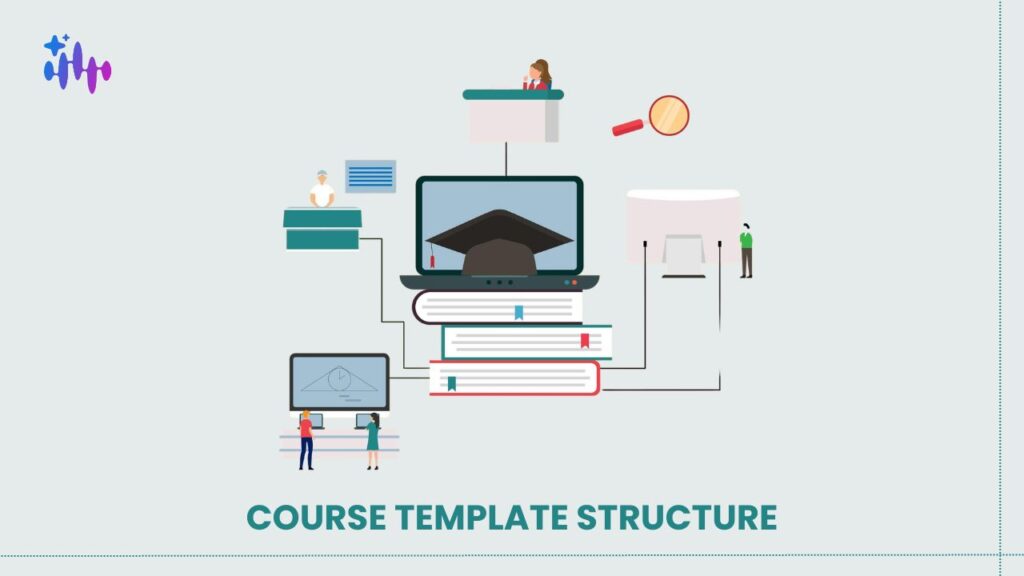
Getting course template structure right is what separates a training provider who can take on a sixth client from one who cannot. The failure pattern is consistent: a good course gets sold to a second client, someone copies it and edits the examples, and two years later there are five near-identical courses that have drifted apart and nobody dares update any of them. The fix is architectural, and it needs deciding before the second client rather than after the fifth. The Core Principle 🖥️ Sign In to Access Your Dashboard What Actually Varies Between Clients Audit five versions of the same course and the differences almost always fall into four buckets. Examples and scenarios: The concept is identical; the illustration is industry-specific. A data protection module explains the same principles whether the client is a bank or a hospital, but the scenarios differ. Terminology: One client says “incident”, another says “event”, a third says “case”. Purely cosmetic and endlessly disruptive when handled by copying. Policy thresholds: Escalation timeframes, approval limits, and reporting windows differ by organisation. The rule structure is shared; the numbers are not. Branding: Logo, colours, and tone. Notice what is not on the list. The underlying concepts, the learning outcomes, the assessment logic, and the module sequence are usually identical. That identical portion is typically 70 to 85% of the course, and it is what should live in one place. Element Shared Varies by client Learning outcomes Yes Rarely Module sequence Yes Rarely Core explanation Yes No Examples and scenarios No Yes Terminology No Yes Policy thresholds No Yes Assessment structure Yes No Assessment content Partly Threshold items Branding No Yes The Architecture That Works Three layers. Core: The concepts, outcomes, sequence, and assessment structure. One copy, shared by every client. Changes here propagate everywhere. Variant configuration: A set of values per client: terminology mappings, threshold numbers, industry context, and branding. This is data, not content, and it should be editable by an account manager rather than requiring a course rebuild. Client-specific additions: Genuinely bespoke modules that exist for one client only. Keep these small and separate, because they are the part that does not benefit from the architecture. The discipline is resisting the pull toward the third layer. A request that looks bespoke is usually a variant configuration in disguise, and treating it as bespoke is how you end up with five copies again. Designing Content That Tolerates Variation Writing core content that works across clients requires a few habits. Write the principle, then the example: Structure each section so the concept stands alone and the illustration is clearly separable. If removing the example breaks the explanation, the two are entangled. Avoid embedding numbers in prose: “Escalate within four hours” hard-codes a threshold. “Escalate within the defined timeframe, which for your organisation is four hours” separates rule from value. Use consistent internal terminology in the core: Map to client terms at the variant layer rather than writing client language into shared content. Keep assessment items threshold-aware: An item testing a policy threshold must pull the value from the variant configuration, or it will be wrong for four clients out of five. These are the same disciplines that make content maintainable generally, and they connect to the source-linked approach described in migrating a legacy SCORM library. 📄 Generate a Free PDF Sample Course in Your Cloned Voice Testing the Architecture There is one test, and it is decisive. Make a substantive change to the shared core, then check whether it appears in every client variant without anyone touching them. If it does, the architecture holds. If you find yourself opening each variant to apply the change, you have five copies with extra steps, and you will get drift regardless of intent. Run this test deliberately before the third client onboards. It is much cheaper to discover the problem then than at the eighth. Handling the Genuinely Bespoke Request Some requests really are client-specific. A regulated client needs an additional module covering their sector’s requirements, and no other client wants it. Handle these as separate modules appended to the shared programme rather than as modifications to it. The client’s course becomes core plus variant configuration plus one bespoke module, and the core stays clean. Price bespoke modules separately and explicitly. Providers who absorb these into the standard fee end up maintaining custom content at no margin, which is a slow problem that compounds. The build-buy-generate decision for regulated content is covered in custom compliance eLearning. The Cost of Producing Variants To be clear about scope: architecture is a design decision, not a product feature. A well-structured course library is possible in most systems and impossible to retrofit cheaply in any of them. What generation changes is the cost of producing variants. Where variant configuration drives generation, a new client’s version is produced from the shared core plus their values rather than being copied and edited, which removes the specific action that causes drift. For a provider serving five clients with a shared programme Metric Before After Copies of the course maintained 5 1 core, 5 configs Time to apply a core content change 5 edits, 2 days 1 edit, propagates Time to onboard a sixth client 2 weeks 1 day Variants that had drifted from core 4 of 5 0 Restructuring an Existing Course Library Frequently Asked Questions If you are about to sell the same course to a third client, fix the architecture now. The cost of doing it later scales with the number of copies. 👉 Book a Live Platform Demo with an EdTech Expert
Multi-Tenant Learner Data Separation for Training Providers
A multi-tenant training platform lets one provider serve many client organisations from shared infrastructure, and the commercial case is obvious. The question enterprise procurement will put to you is less comfortable: prove that Client A cannot see Client B’s learner records. Answering that convincingly requires understanding how separation is actually enforced, not just that portals look separate, and it applies whether you run your own stack or layer an AI Coach over an existing LMS. Key Takeaways 🖥️ Sign In to Access Your Dashboard The Three Isolation Models Separate database per tenant: Each client’s data lives in its own database. Strongest isolation, highest operational cost, and slowest to provision a new client. Suits providers with a small number of large, security-sensitive accounts. Separate schema per tenant: One database, separate schemas. A middle position that isolates well while keeping operations manageable. Provisioning is faster than separate databases. Row-level isolation: All tenants share tables, with every row carrying a tenant identifier and every query filtered by it. Cheapest and fastest to provision. Isolation depends entirely on the filter being applied correctly on every query without exception, which is why enforcement must sit at the framework level rather than being left to individual queries. Model Isolation strength Provisioning speed Operational cost Typical fit Separate database Highest Slow High Few large regulated clients Separate schema High Moderate Moderate Mixed portfolio Row-level Adequate if enforced Fast Low Many smaller clients None of these is wrong. What is wrong is not knowing which one you use, which happens more often than you would expect when the platform is someone else’s. What Enterprise Procurement Actually Asks Five questions, and they recur almost verbatim across security reviews. How is tenant data separated? They want the model named, and they want to know what enforces it. “Each client has their own portal” describes the interface, not the isolation, and reviewers recognise the difference immediately. Who can access data across tenants? Some of your staff must be able to, for support. The acceptable answer names the roles, limits them, and confirms that access is logged. Can an export from one tenant include another’s data? They may ask you to demonstrate this rather than assert it. What happens at contract end? Export format, export window, deletion timeline, and written confirmation of deletion. Where is the data stored? Increasingly a blocker rather than a question in the GCC. Our guide to training data residency under PDPL sets out the regional requirements. Cross-Tenant Access Is Not Optional Providers sometimes claim no staff can see across tenants. It is rarely true, and reviewers know it, so the claim damages credibility. Support requires it. If a client raises a ticket about a learner, someone has to look. The defensible position is not denying access but controlling it: This is a straightforward control to implement and it converts an awkward question into a strong answer. 📄 Generate a Free PDF Sample Course in Your Cloned Voice What Should Be Shared, and What Should Not The distinction is between content and records. Share course content: One library, scoped per tenant. Duplicating content per client means updating it repeatedly and watching versions drift, which is the same maintenance trap described in client-branded portals. Never share learner records: Enrolments, progress, assessment results, and support conversations belong to one tenant only. Be careful with aggregate analytics: Benchmarking a client against your wider learner base is commercially attractive and legally delicate. If you do it, the data must be genuinely aggregated and non-identifying, and your client contracts should say you do it. Discovering this in year two is a bad conversation. Where Cross-Tenant Leakage Starts To be clear about scope: tenant isolation is a property of your system of record. Vocaliv does not hold your learner records, and if your LMS separates tenants poorly, adding a layer above it does not fix that. What it affects is the layer where cross-tenant leakage is easiest to introduce accidentally: automated learner support. An AI coach answering questions must be scoped to one tenant’s content and one learner’s history, and never draw on another client’s material when forming an answer. That scoping should be explicit rather than incidental, and it is worth asking any vendor how they enforce it. For a provider serving six enterprise clients Metric Before After Security review response time 2 to 3 weeks per deal Standing document Cross-tenant access logged No All reads Course updates per content change 6 1 Deals stalled on security questions 2 of 6 0 Preparing for a Security Review Frequently Asked Questions If a security review has stalled a deal in the last year, the fix is usually a standing document rather than a platform change. Write it once. 👉 Book a Live Platform Demo with an EdTech Expert
AI Teacher With Voice: What Changes When Learners Hear Instead of Read
An AI teacher with voice changes something more fundamental than presentation format. Reading is deliberate: learners skim, skip, and re-read at their own pace. Listening is sequential and time-bound, which imposes a different cognitive load and produces different completion behaviour. Understanding where that helps and where it hurts matters more than whether the Voice Cloning output sounds convincing, because a natural voice reading badly structured content is still badly structured content. Key Takeaways 🖥️ Sign In to Access Your Dashboard Where Audio Outperforms Text Long-form explanation: A twenty-minute conceptual explanation is tiring to read and comfortable to listen to. Completion rates on longer modules improve noticeably when the primary channel is audio. Commuting and field contexts: Learners in transit, on site, or between client visits cannot read but can listen. In the GCC, where commutes are long and much of the workforce is mobile, this is a larger share of learning time than most providers assume. Procedural walkthroughs: Where a learner is doing something with their hands, audio leaves their eyes free. This is why software training with narrated steps outperforms written instructions for hands-on tasks. Emotional and tonal content: Anything involving customer interaction, difficult conversations, or tone benefits from being heard, because tone is the subject matter. Where Audio Underperforms Reference material: Anything a learner will return to and search. Audio is linear and unsearchable, which makes it a poor container for information people need to look up. Dense technical specification: Numbers, thresholds, code, and configuration values are harder to retain by ear and much harder to verify. Text with audio explanation around it works better than audio alone. Comparison content: Tables and side-by-side comparisons rely on spatial layout. Reading a comparison aloud loses the structure that makes it comprehensible. Learners working in a second language: This one cuts both ways. Some second-language learners find audio easier because it carries prosody. Others find it much harder because they cannot control pace or re-read. Provide both and let them choose. Content type Audio Text Best approach Conceptual explanation Strong Adequate Audio primary Procedural walkthrough Strong Adequate Audio with visual steps Reference tables Poor Strong Text only Technical specifications Poor Strong Text with audio summary Customer interaction skills Strong Weak Audio primary Compliance policy detail Adequate Strong Text with audio overview The Familiar Voice Effect In cohort programmes, hearing the instructor who runs the sessions creates continuity that a generic narration voice does not. Learners report the material feeling connected to the programme rather than bolted on. This is the practical argument for cloning your own instructors rather than selecting a stock voice. The operational argument is stronger still: an instructor records once, and every subsequent module carries their voice without further studio time. That said, the consent and licensing questions this raises are substantive rather than administrative, and should be settled before recording. We cover them in voice consent for instructor cloning, and the comparative provider landscape in AI voice cloning tools for training content. 📄 Generate a Free PDF Sample Course in Your Cloned Voice Writing for the Ear Content written to be read does not work when spoken. Four adjustments matter. Shorter sentences: A sentence a reader can parse across two lines becomes hard to follow when heard once. Signposting: Listeners cannot see headings, so the structure has to be stated. “There are three things to check here. The first is…” does work that a heading does on a page. Repetition of key terms: Readers scan back. Listeners cannot, so important terms need restating rather than being replaced with pronouns. No visual references: “As shown above” is meaningless in audio. Describe rather than point. Most providers generate audio from content written for reading and then wonder why comprehension is weaker. The script is the variable, not the voice. Accessibility and Transcripts Always publish a transcript alongside audio. Three reasons, and only the first is the one people think of. Accessibility requirements under standards such as WCAG generally expect a text alternative for audio content. Beyond compliance, transcripts make content searchable, which restores the one thing audio removes. And a meaningful proportion of learners simply prefer reading, and forcing audio on them lowers completion rather than raising it. What Changes in Production Economics To be clear about scope: voice delivery does not improve weak content. A clear instructor voice narrating a poorly structured module produces a well-narrated poor module. What it affects is production economics. Narration for a new module no longer requires studio time or the instructor’s availability, so audio stops being reserved for flagship courses and becomes available across the catalogue. Language variants come from the same source rather than requiring separate recording. For a provider with a 25-course catalogue Metric Before After Courses with audio narration 4 25 Instructor studio hours per new module 6 0 Cost to re-record after a content change Full session Regenerate Completion rate, modules over 20 minutes 52% 71% Arabic audio available No Same source Adding Audio to Your Catalogue Frequently Asked Questions If you are about to add narration across your catalogue, rewrite the scripts first. The voice is not the variable that decides whether it works. 👉 Book a Live Platform Demo with an EdTech Expert
Competency Mapping for Certification Programmes: From Job Role to Exam Blueprint
Competency mapping training programmes fail at the same point almost every time: the map gets built, everyone agrees it is accurate, and then nobody translates it into an assessment that actually measures the competencies listed. The result is a certification whose exam tests recall while the map describes performance. Closing that gap is a mechanical process, and once the blueprint exists, an Adaptive Assessment engine can route against it directly. Key Takeaways 🖥️ Sign In to Access Your Dashboard Step One: Write Competencies as Observable Actions The single most common error is writing knowledge statements and labelling them competencies. “Understands escalation procedures” is knowledge. “Escalates an incident to the correct tier within the defined timeframe” is a competency, because you could watch someone do it and judge whether they did. The test is simple. Could you observe this and reach a verdict? If not, rewrite it. Frameworks such as Bloom’s taxonomy are useful here for pinning down the cognitive level involved, which matters at the blueprint stage. Aim for 12 to 20 competencies for a substantive certification. Fewer and the map is too coarse to guide assessment. More and the exam becomes impractically long. Step Two: Weight by Criticality and Frequency Not all competencies deserve equal exam coverage. Two dimensions decide the weighting. Criticality: What happens if the person cannot do this? A competency where failure causes safety or regulatory consequence outweighs one where failure causes inconvenience. Frequency: How often does the job require it? A daily task matters more to overall performance than an annual one, though a rare high-criticality task can still outrank a frequent low-criticality one. Criticality Frequency Weight High High Heavy, 15 to 20% of exam High Low Moderate, 8 to 12% Low High Moderate, 8 to 12% Low Low Light, 2 to 5% or omit Do this with people who actually do the job, not only with managers. Managers reliably overweight the visible parts of a role and underweight the routine work that consumes most of the day. Step Three: Build the Exam Blueprint The blueprint is a table specifying, for each competency, how many items the exam contains and at what cognitive level. It is the document that stops exam content drifting toward whatever is easiest to write. Competency Weight Items Cognitive level Escalate incident to correct tier 18% 9 Application Classify incident severity 15% 8 Analysis Complete handover documentation 10% 5 Application Identify regulatory reporting triggers 12% 6 Analysis Recall notification timeframes 5% 3 Recall The cognitive level column is what most blueprints omit, and omitting it is how a certification ends up testing recall for a competency that requires judgement. If the competency says “classify”, the item must require classification of a novel case, not recognition of a definition. Item counts follow from weights against total exam length. A 50-item exam with an 18% weighting gives nine items. Where a competency warrants fewer than three items, consider whether it belongs in the exam at all. 📄 Generate a Free PDF Sample Course in Your Cloned Voice Step Four: Connect the Blueprint to Training The blueprint should drive course structure, not the other way round. Each competency maps to the module that develops it, and any competency with no corresponding module is a gap in your programme rather than a gap in the exam. This mapping also makes remediation precise. A learner who fails the classification competency returns to the classification module, not to the whole course. The mechanics of building the underlying item bank are set out in how to build an adaptive assessment. For providers operating in Dubai, this documentation overlaps directly with what regulators expect, since KHDA reviews documented learning outcomes and assessment for each programme. Step Five: Review Against Job Reality Annual review is standard, and most reviews are conducted wrongly. Teams review the map against the previous map, which validates internal consistency and detects nothing. Review against the job. Sit with practitioners and ask what they did last month that is not on the map, and what is on the map that they never do. Roles drift faster than documentation, particularly where tooling has changed. Where a competency has drifted out of the role, remove it. A certification testing obsolete competencies loses credibility with the employers who fund it. Closing the Gap Between Map and Exam To be clear about scope: Vocaliv does not award certifications or set pass thresholds. Awarding rules, accreditation, and any regulatory requirement stay with you and your accrediting body. What it affects is the distance between the blueprint and the working assessment. Item banks are generated against the blueprint’s competencies and cognitive levels rather than authored ad hoc, so the exam matches the map by construction. Results report at competency level, which is what makes targeted remediation possible. For a provider running a 16-competency certification Metric Before After Exam items aligned to a stated competency 60% 100% Time to build the item bank 6 weeks 5 days including review Reporting granularity Overall pass or fail Per competency Learners repeating full programme on failure All Failed competencies only From Job Role to Blueprint in Six Steps Frequently Asked Questions If your exam was written before your competency map, the two almost certainly do not match. Build the blueprint and check. 👉 Book a Live Platform Demo with an EdTech Expert
Escalation Design: When an AI Coach Should Stop and Hand Over

AI escalation to human support is usually treated as a failure state, which is exactly the wrong framing. A well-designed handoff is the feature that makes automated learner support safe to deploy at all, and the providers who get the most out of an AI Coach are the ones who defined the stopping conditions before launch rather than after the first complaint. The question is not whether the AI will hit its limits. It is whether it recognises the moment and hands over cleanly. Key Takeaways 🖥️ Sign In to Access Your Dashboard The Five Escalation Triggers Repetition: A learner asks about the same concept three times in different words. The explanations are not working, and a fourth variation will not help. This is the most valuable trigger because it catches cases where nothing has visibly gone wrong. Distress: Frustration, anxiety about failing, or anything touching personal circumstances. An AI should not be managing a learner who is struggling for reasons outside the course. Route it to a person immediately. Assessment disputes: A learner contests a mark or an answer. This is a judgement call with consequences, and it belongs with an instructor. The AI can explain the reasoning behind an answer; it should not defend a grade. Policy and contractual questions: Deadlines, extensions, certification requirements, and anything with a commercial consequence. Getting these wrong creates liability, and the correct answer often depends on the client contract rather than the course. Explicit request: The learner asks for a human. This one has no threshold and no negotiation. Honour it immediately. Trigger Urgency Route to Three attempts, same concept Same day Instructor Distress or personal circumstance Immediate Instructor or programme manager Assessment dispute Within 24 hours Instructor Policy or deadline question Within 24 hours Programme manager Explicit request for a human Immediate Whoever is available What Must Travel With the Handoff A handoff that delivers only the learner’s last message wastes everyone’s time, because the instructor starts from zero and the learner repeats themselves. The escalation should carry: That last item is the one providers underuse. Escalation data is the best diagnostic you have on where your course material fails, and it costs nothing extra to collect. Setting the Right Escalation Rate Providers instinctively want the escalation rate as low as possible. That instinct is wrong past a point. An escalation rate below 10% usually means the AI is answering things it should not, particularly assessment disputes and policy questions where a confident wrong answer creates real problems. A rate above 40% means it is not resolving enough to justify the deployment. Twenty to thirty percent is the range where the economics work and the risk stays contained. Measure weekly during the first cohort, and inspect the escalations themselves rather than only the count. Whether coaching delivers measurable results overall is examined in what the evidence shows about AI coaching. 📄 Generate a Free PDF Sample Course in Your Cloned Voice What the AI Should Never Attempt Four categories, and they should be hard rules rather than tendencies. Grading decisions with consequences: Explaining why an answer was wrong is teaching. Deciding whether a borderline learner passes is not. Anything touching a learner’s employment: Where a client uses training results in performance management, the stakes exceed what automated support should carry. Regulatory interpretation: In compliance programmes, the difference between explaining a rule and advising on its application matters, and the second belongs with a qualified person. Medical, legal, or personal advice: Even where a learner asks in a training context, redirect. Instructors are frequently sceptical of automated support precisely because they expect these boundaries to be ignored. Publishing the rules internally addresses much of that concern, which we discuss in why instructors resist AI training tools. Making Handoffs Designed Rather Than Accidental To be clear about scope: escalation rules are your policy decision. A platform can enforce them, but what counts as distress and who handles an assessment dispute are yours to define. What changes is whether escalation is a designed path or an accident. Triggers fire consistently rather than depending on how a learner phrased something, context travels automatically, and the escalation log becomes a weekly report showing which modules generate the most handoffs. For a provider running four cohorts of 40 learners Metric Before After Learner questions per week 240 240 Reaching an instructor 240 61 Escalations arriving with full context None All Average time to instructor response 11 hours 2 hours Modules identified as confusing per term 0 5 Defining Your Escalation Rules Frequently Asked Questions If you are deploying automated learner support without written escalation rules, write them this week. They are what makes the deployment defensible. 👉 Book a Live Platform Demo with an EdTech Expert