
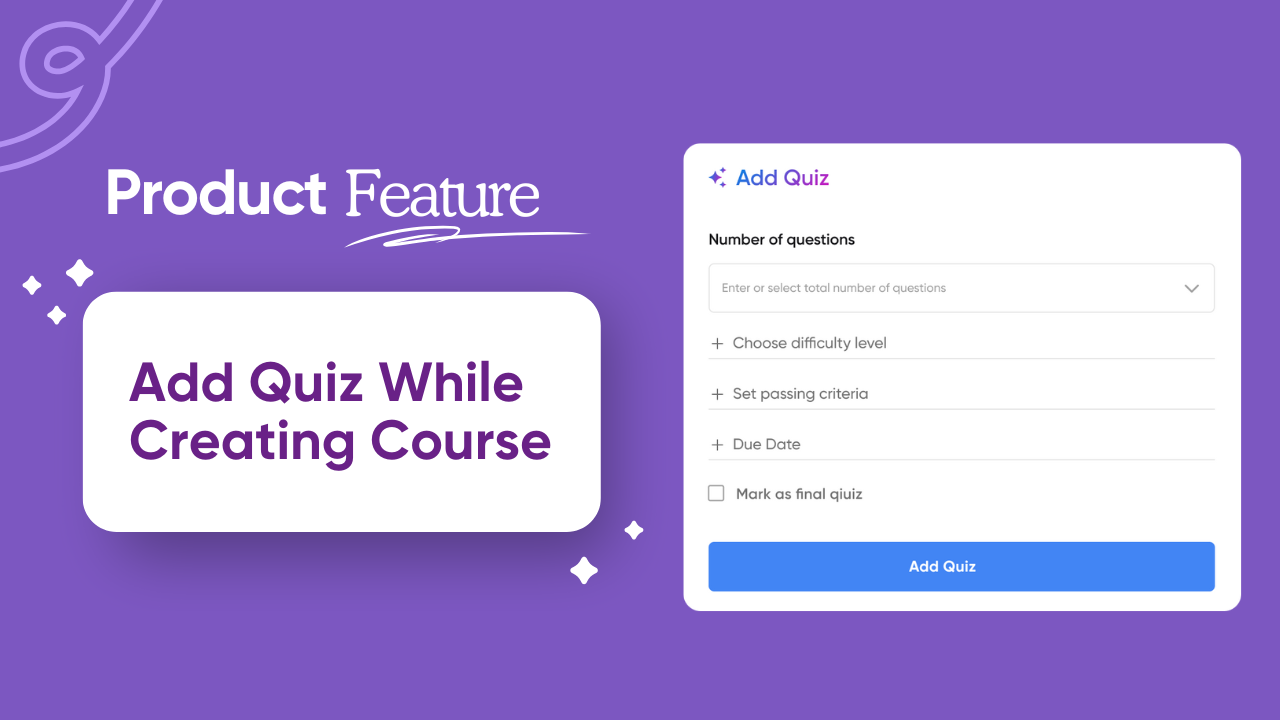
We’re excited to introduce a powerful new feature in Vocaliv – Add Quiz While Creating Course! Now you can design assessments seamlessly as part of your course-building process.
How It Works
- Open Course Editor Preview
From your course editor, click on the “Add Quiz” button.
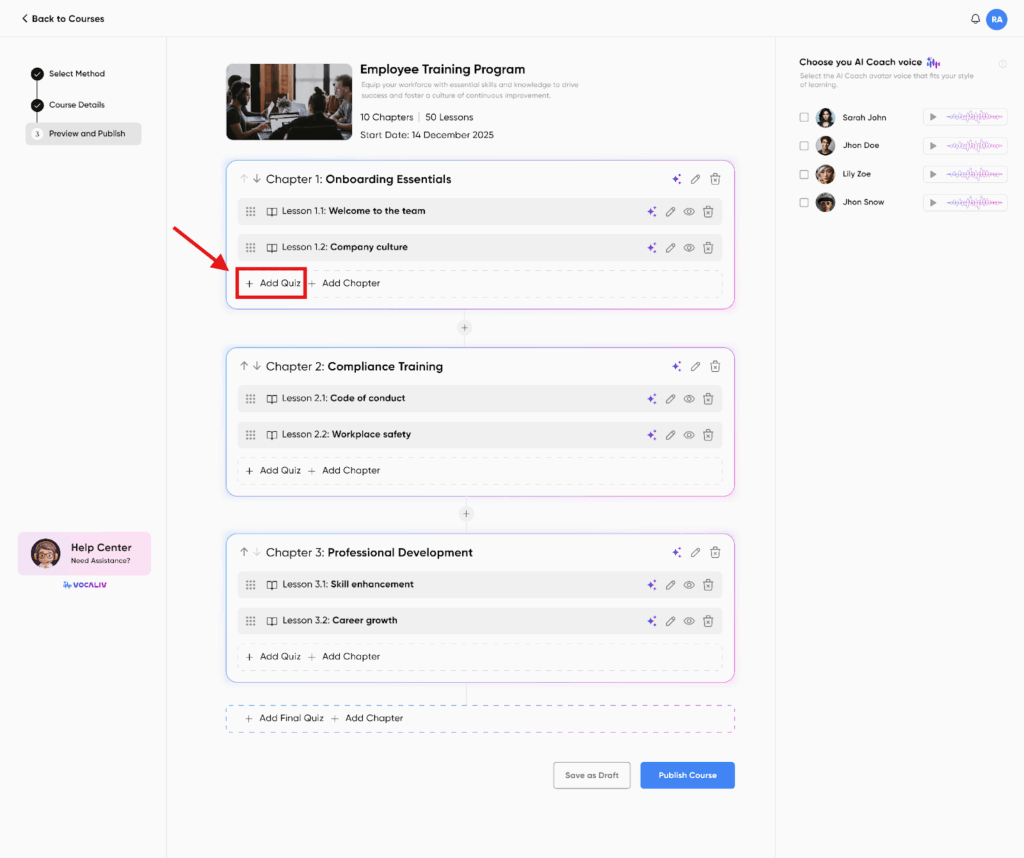
- Choose Placement
➡ Add a quiz at the end of each chapter
➡ Or create a final quiz at the end of the course. - Set Quiz Parameters
- Select the number of questions
- Choose the difficulty level
- Define passing criteria
Set a due date for completion
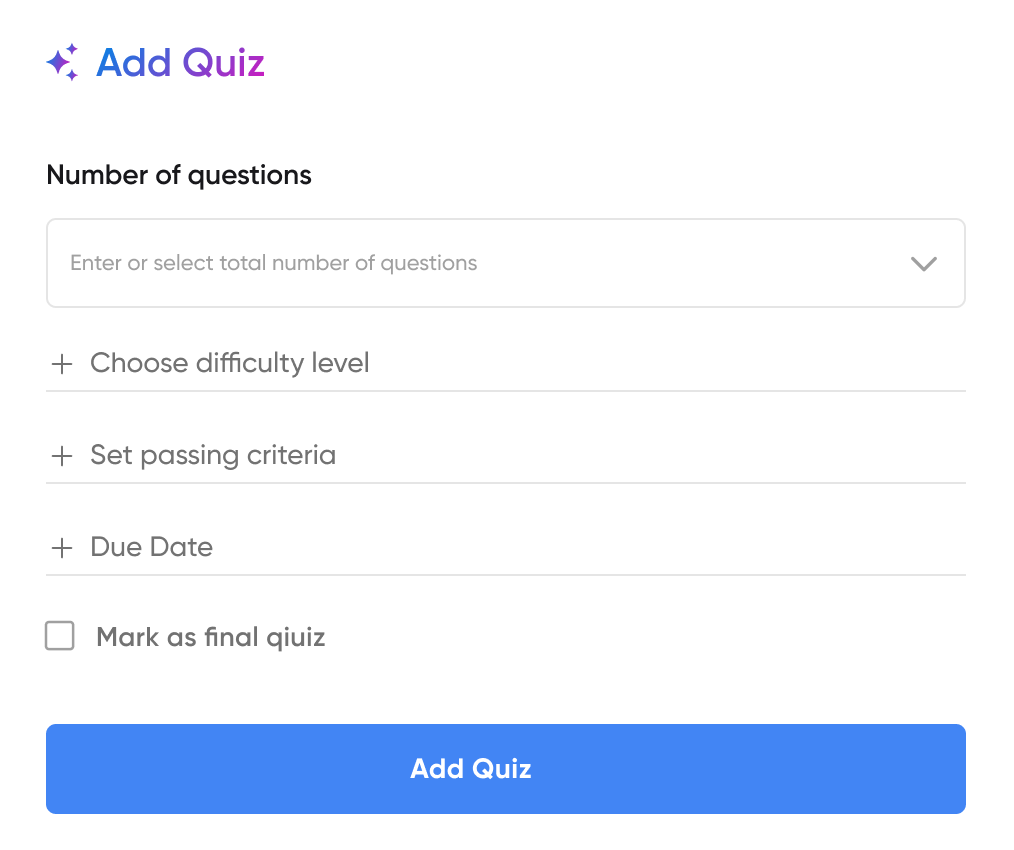
- Generate Quiz with AI
Click on the “Add Quiz” CTA at the bottom to generate your quiz instantly with AI.
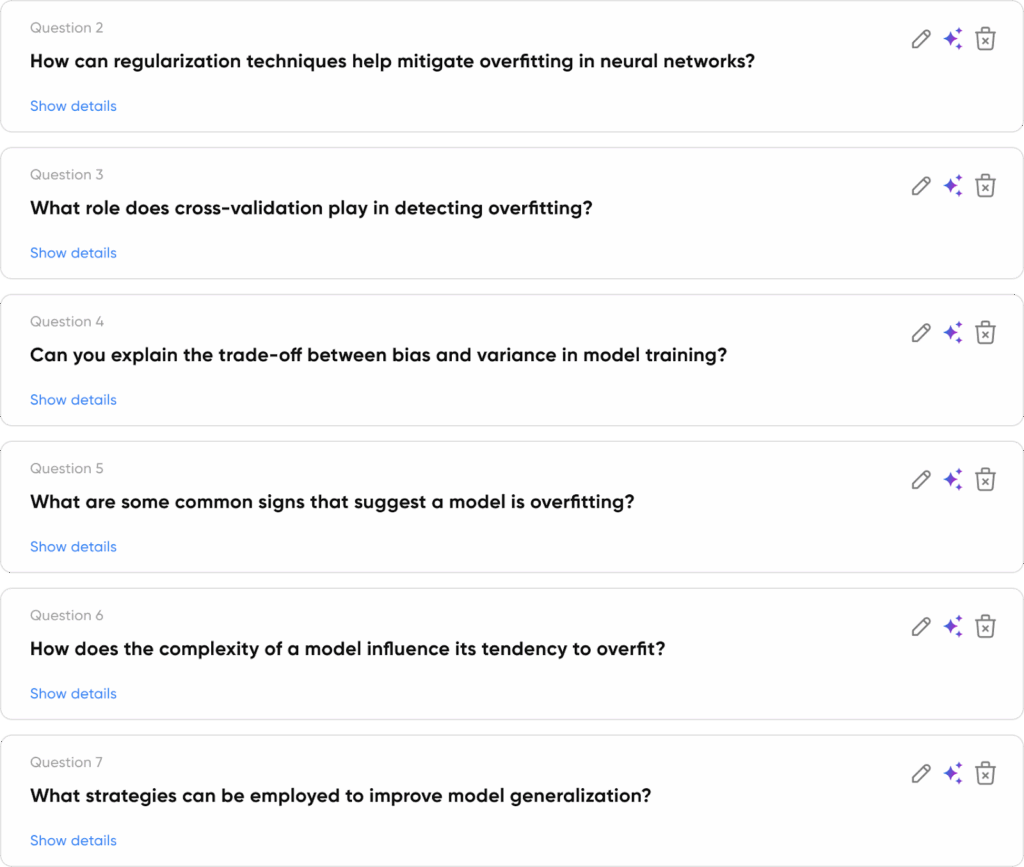
- Quiz Preview & Editing
- In the Quiz Preview screen, you can:
- 🔄 Regenerate any question using the AI icon
- ✏️ Edit questions manually with the pencil icon
- 🔄 Regenerate any question using the AI icon
- In the Quiz Preview screen, you can:

- Save & Merge
Once you’re done editing, click the “Save” button. Your quiz will be created and automatically merged with your course.