
Smart Course Design With AI: Step-by-Step Guide, Examples, and Templates
Smart course design with AI means using AI to turn existing source material into a structured course, with objectives, lessons, and quizzes drafted automatically, then reviewing and refining the result. It works best when a human defines the audience and outcome first and approves every output before learners see it. Key Takeaways: How Do You Design a Course With AI, Step by Step? Smart course design follows six steps. AI drafts at steps 3 to 5. Humans decide at steps 1, 2, and 6. What Does Smart Course Design Look Like in Practice? These are illustrative scenarios, not customer case studies: Course type Source material What AI drafts What a human checks Employee onboarding HR handbook and policy PDFs Modules on policies, benefits, and expectations, plus quizzes Current policy details and company tone Compliance refresher Approved regulation summary Scenario-based quiz items and short lessons Legal accuracy before release Product training Product sheets and sales decks Feature lessons and knowledge checks Claims, pricing, and positioning What Templates Can You Use? Course blueprint template. Complete this before generating anything: Outline prompt template: “Using only the attached documents, draft [number] modules for [audience]. For each module, list three measurable objectives and one scenario-based quiz question. Flag any topic the documents do not cover.” The last line of the prompt matters. It makes the AI expose gaps instead of filling them with invented content. What Can Go Wrong With AI Course Design? Four problems come up most often: Compliance, safety, and certification content need the strictest review. For routine learner questions after launch, Vocaliv’s AI Coach answers from approved course material, and teams set when a trainer steps in. How Do You Choose an AI Course Design Tool? Pick a tool that generates from your documents, keeps a human approval step, lets you edit every output, and supports assessment and learner support in the same workflow. Vocaliv’s AI training vendor evaluation checklist lists 25 questions to ask before signing. How Does Vocaliv Fit? Vocaliv is an AI operational layer for training delivery and learning automation, not a traditional LMS. It turns uploaded PDFs into structured courses with lessons, quizzes, and objectives, issues certificates based on completion rules you set, and supports trainees through an AI Coach. The aim is to let one training team deliver more courses and serve more trainees without adding trainer hours in proportion. FAQs Final Takeaway Smart course design with AI starts with a clear outcome and approved source material, uses AI to draft structure and assessments, and ends with human review. Teams that follow that order get faster courses without giving up accuracy.
Can AI Help Personalize Learning Experiences in Instructional Design? Capabilities, Limitations, and Best Practices
Yes, AI can help personalize learning experiences in instructional design. With AI-powered course creation grounded in approved material, teams can adapt practice, feedback, and support to each learner. AI personalization works well for pacing, questions, and assessment, and poorly without human review of accuracy and context. Key Takeaways: How Does AI Personalize Learning in Instructional Design? AI personalizes learning by using learner responses, questions, and progress signals to adjust practice, feedback, support, and delivery format. Instructional designers still set the objectives and approve the content. Four levers matter most: What Does the Evidence Say About AI-Personalized Learning? The evidence shows that AI personalization can work, but only when the tool is designed around learning. The Harvard tutor in the Scientific Reports trial followed the same pedagogical practices as the in-class lesson it was compared against. The PNAS study found the opposite for a generic chatbot. Students used it as a “crutch” during practice and did worse afterward. A tutor that gave hints instead of answers reduced that effect. For instructional designers, the takeaway is that a personalized experience needs pedagogical structure. Access to a language model alone does not provide it. What Can AI Personalize, and What Still Needs a Human? Design element What AI can personalize What a human designer still owns Pacing and sequence Adjust review and practice based on quiz results Learning objectives and prerequisites Practice and assessment Generate questions by topic, count, and difficulty Checking question quality and fairness Feedback and support Answer routine questions at any hour Judgment calls and regulatory interpretation Format and voice Text, voice-guided, or mixed delivery Tone, brand, and cultural fit Content accuracy Draft structure from source documents Approval before learners see anything What Are the Limitations of AI Personalization? AI personalization has four main limitations: Compliance, health and safety, and certification-bearing programs carry the highest cost of error. They need the strictest review. For training teams facing these trade-offs, Vocaliv’s AI Coach delivers course content from approved material and lets teams set when it answers and when a trainer steps in. What Are Best Practices for Personalizing Learning With AI? How Does Vocaliv Fit? Vocaliv is an AI operational layer for training delivery and learning automation, not a traditional LMS. Its course builder turns uploaded training materials into a structured course with modules, lessons, objectives, and quizzes that a trainer reviews and edits. The AI Coach then supports trainees from that approved content. The goal is to let a training team serve more learners without adding trainer hours in proportion. FAQs Final Takeaway AI can personalize pacing, practice, feedback, and support in instructional design. Human designers still need to own the objectives, the accuracy, and the judgment calls. Teams that combine both get the benefits of personalization without the risks of unguarded AI.
AI And Instructional Design: Complete Guide for 2026
AI and instructional design now work together across most of the course development process: AI course builders that turn existing training materials into structured courses can draft outlines, learning objectives, lessons, quizzes, and narration in minutes. Instructional designers remain responsible for learning strategy, accuracy review, audience fit, and measuring whether training changes performance. Key Takeaways: How Is AI Used in Instructional Design? AI is used in instructional design mainly to accelerate content production. The ATD report AI in Instructional Design: Transforming Workflows and Content Creation found that instructional designers most commonly used AI tools to outline courses, storyboard, write learning objectives, create training content, and generate voice-overs or narration. In practice, an instructional designer can upload a policy manual, SOP, or slide deck and receive a draft course structure with modules, lessons, and assessment questions. The designer then edits, sequences, and validates the draft rather than writing every element from a blank page. AI Across the ADDIE Model The ADDIE model (Analysis, Design, Development, Implementation, Evaluation) remains a useful way to see where AI helps instructional designers and where human expertise still leads. ADDIE Phase What AI Does Well What Instructional Designers Still Own Analysis Summarizes source documents, surveys, and performance data Defining the real performance gap and audience needs Design Drafts outlines, objectives, and module sequences Choosing the learning strategy and aligning objectives to business goals Development Generates lessons, quizzes, scenarios, slides, and narration Accuracy review, tone, cultural fit, and accessibility Implementation Answers trainee questions 24/7 through AI coaches, personalizes pacing Deciding when learners need a human expert Evaluation Analyzes quiz results and completion data Interpreting whether behavior and business results improved Traditional vs AI-Assisted Instructional Design AI-assisted instructional design differs from traditional instructional design mainly in where designers spend their time. In traditional instructional design, most effort goes into building content: writing scripts, formatting slides, recording audio, and writing quiz items. Updating a course after a process change often means rebuilding sections manually. In AI-assisted instructional design, first drafts are generated quickly, so effort shifts toward reviewing, refining, and improving learning quality. Updates become section-level edits rather than rebuilds. Vocaliv, for example, describes its AI Course Builder as letting teams update a changed section of a course in hours instead of weeks; this is Vocaliv’s own product description, not an independent benchmark. What Are the Risks of Using AI in Instructional Design? The main risks of AI in instructional design are inaccurate content, shallow learning design, and generic output. How AI Changes the Instructional Designer’s Role AI does not replace instructional designers; AI changes the instructional designer’s role from content producer to learning architect and quality reviewer. The most valuable skills in 2026 include prompt and source preparation, content validation, learning experience strategy, data interpretation, and managing AI-supported delivery. Some instructors and trainers resist AI at first, and understanding why instructors resist AI training tools and what changes their minds helps teams plan adoption. Beyond Course Creation: AI After Launch For training providers, course creation is only part of the workload. Vocaliv’s website notes that each cohort can add 15–25 hours of trainee support queries, which is a first-party estimate. Vocaliv is an AI operational layer for training delivery and learning automation, not a traditional LMS. Beyond building courses from uploaded materials, Vocaliv attaches an AI coach trained on the course content that answers trainee questions around the clock, so trainers step in when human judgment is needed. How to Implement AI in Your Instructional Design Workflow Implementing AI in instructional design works best as a staged process: For a realistic timeline, see what happens in the first 30 days of an AI training platform implementation. FAQs Final Takeaway AI and instructional design in 2026 is a partnership: AI accelerates drafting, development, updates, and trainee support, while instructional designers own strategy, accuracy, and outcomes. Start with one pilot course, build a review process, and scale once quality is proven.
Reusable Course Architecture: One Module, Five Client Variants
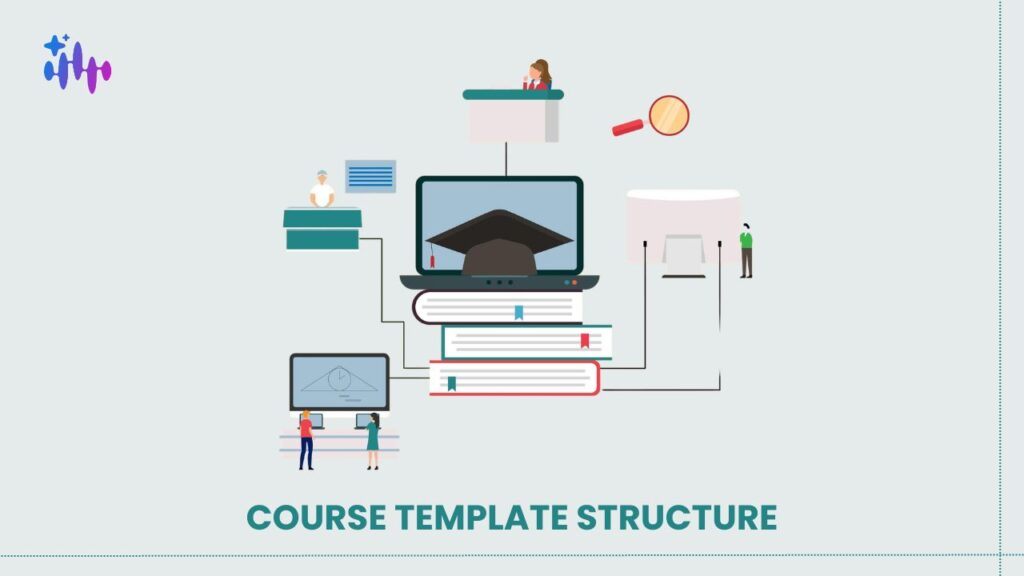
Getting course template structure right is what separates a training provider who can take on a sixth client from one who cannot. The failure pattern is consistent: a good course gets sold to a second client, someone copies it and edits the examples, and two years later there are five near-identical courses that have drifted apart and nobody dares update any of them. The fix is architectural, and it needs deciding before the second client rather than after the fifth. The Core Principle 🖥️ Sign In to Access Your Dashboard What Actually Varies Between Clients Audit five versions of the same course and the differences almost always fall into four buckets. Examples and scenarios: The concept is identical; the illustration is industry-specific. A data protection module explains the same principles whether the client is a bank or a hospital, but the scenarios differ. Terminology: One client says “incident”, another says “event”, a third says “case”. Purely cosmetic and endlessly disruptive when handled by copying. Policy thresholds: Escalation timeframes, approval limits, and reporting windows differ by organisation. The rule structure is shared; the numbers are not. Branding: Logo, colours, and tone. Notice what is not on the list. The underlying concepts, the learning outcomes, the assessment logic, and the module sequence are usually identical. That identical portion is typically 70 to 85% of the course, and it is what should live in one place. Element Shared Varies by client Learning outcomes Yes Rarely Module sequence Yes Rarely Core explanation Yes No Examples and scenarios No Yes Terminology No Yes Policy thresholds No Yes Assessment structure Yes No Assessment content Partly Threshold items Branding No Yes The Architecture That Works Three layers. Core: The concepts, outcomes, sequence, and assessment structure. One copy, shared by every client. Changes here propagate everywhere. Variant configuration: A set of values per client: terminology mappings, threshold numbers, industry context, and branding. This is data, not content, and it should be editable by an account manager rather than requiring a course rebuild. Client-specific additions: Genuinely bespoke modules that exist for one client only. Keep these small and separate, because they are the part that does not benefit from the architecture. The discipline is resisting the pull toward the third layer. A request that looks bespoke is usually a variant configuration in disguise, and treating it as bespoke is how you end up with five copies again. Designing Content That Tolerates Variation Writing core content that works across clients requires a few habits. Write the principle, then the example: Structure each section so the concept stands alone and the illustration is clearly separable. If removing the example breaks the explanation, the two are entangled. Avoid embedding numbers in prose: “Escalate within four hours” hard-codes a threshold. “Escalate within the defined timeframe, which for your organisation is four hours” separates rule from value. Use consistent internal terminology in the core: Map to client terms at the variant layer rather than writing client language into shared content. Keep assessment items threshold-aware: An item testing a policy threshold must pull the value from the variant configuration, or it will be wrong for four clients out of five. These are the same disciplines that make content maintainable generally, and they connect to the source-linked approach described in migrating a legacy SCORM library. 📄 Generate a Free PDF Sample Course in Your Cloned Voice Testing the Architecture There is one test, and it is decisive. Make a substantive change to the shared core, then check whether it appears in every client variant without anyone touching them. If it does, the architecture holds. If you find yourself opening each variant to apply the change, you have five copies with extra steps, and you will get drift regardless of intent. Run this test deliberately before the third client onboards. It is much cheaper to discover the problem then than at the eighth. Handling the Genuinely Bespoke Request Some requests really are client-specific. A regulated client needs an additional module covering their sector’s requirements, and no other client wants it. Handle these as separate modules appended to the shared programme rather than as modifications to it. The client’s course becomes core plus variant configuration plus one bespoke module, and the core stays clean. Price bespoke modules separately and explicitly. Providers who absorb these into the standard fee end up maintaining custom content at no margin, which is a slow problem that compounds. The build-buy-generate decision for regulated content is covered in custom compliance eLearning. The Cost of Producing Variants To be clear about scope: architecture is a design decision, not a product feature. A well-structured course library is possible in most systems and impossible to retrofit cheaply in any of them. What generation changes is the cost of producing variants. Where variant configuration drives generation, a new client’s version is produced from the shared core plus their values rather than being copied and edited, which removes the specific action that causes drift. For a provider serving five clients with a shared programme Metric Before After Copies of the course maintained 5 1 core, 5 configs Time to apply a core content change 5 edits, 2 days 1 edit, propagates Time to onboard a sixth client 2 weeks 1 day Variants that had drifted from core 4 of 5 0 Restructuring an Existing Course Library Frequently Asked Questions If you are about to sell the same course to a third client, fix the architecture now. The cost of doing it later scales with the number of copies. 👉 Book a Live Platform Demo with an EdTech Expert
Custom Compliance eLearning: Build, Buy or Generate
Choosing a custom compliance elearning solution is usually framed as build versus buy, and that framing is now incomplete. Off-the-shelf libraries are cheap and generic. Bespoke development is accurate and slow. Generation from your own source material through something like the AI Course Builder sits between them and did not meaningfully exist three years ago, which is why most procurement processes still have no column for it. The decision that matters is not which route is best in general. It is which route each individual programme needs, because most providers end up running all three. Key Takeaways 🖥️ Sign In to Access Your Dashboard The Three Routes and What Each Costs Route Time to first delivery Accuracy to your context Update cost Best for Off-the-shelf library Days Low Included Broad awareness, large headcount, low regulatory specificity Bespoke development 8 to 16 weeks High High, re-scoped each time High-stakes, low-change, audit-exposed programmes Generated from your material Days High, if the source is good Low, regenerate Role-specific, jurisdiction-specific, frequently updated content The time figures matter less than the update column. A provider delivering compliance training to enterprise clients in the GCC is not doing this once. Regulations change and client policies change, so a route that is cheap to build and expensive to maintain will cost more over three years than one priced the other way round. When Off-the-Shelf Compliance Training Fails Three failure modes, consistent enough to predict before you buy. Jurisdiction: A generic anti-bribery module written against the UK Bribery Act or the US FCPA will not reflect UAE federal law or Saudi regulation. A learner in Riyadh shown US enforcement examples notices immediately. Credibility drops, and completion follows it down. Role specificity: Generic data protection training addresses “employees”. Your client’s actual exposure concentrates in three roles handling customer records, and what matters to them differs from what the rest of the organisation needs. Off-the-shelf content flattens this, producing a module everyone completes and nobody applies. Language: Arabic availability in commercial libraries is thin, and where it exists it is often a direct translation carrying source-jurisdiction examples. For a mixed-nationality Gulf workforce this is the most common reason a client rejects a library outright. The deeper problem is covered in our piece on what multilingual support actually means for Arabic training. There is a fourth, softer failure. If two of your client’s suppliers deliver the same vendor library under different branding, your differentiation disappears. What Generation Handles Well Generation is strongest where source material already exists and the work is structural rather than interpretive. Source quality is the controlling factor. Content generated from your client’s actual policies and incident history is defensible and traceable. Content generated from open-ended prompts is neither, which is the same argument that applies to accuracy in AI-generated training content. What Generation Does Not Handle Being specific about limits is more useful than claiming coverage. Novel or recently amended regulation: Where a rule changed recently and authoritative interpretation is thin, generated content will be confident and may be wrong. Human review is not optional. Contested interpretation: Where lawyers disagree about what a provision requires, the training needs a position, and that is a legal decision rather than a content decision. Wording carrying legal weight: Attestation text and declarations a learner signs should be drafted or approved by counsel. Client-specific incident history: If your client’s most instructive case study lives in a compliance officer’s memory, capture it first. The practical model is generation for structure and coverage, human review for judgement. Budget roughly a day of review per substantial module rather than assuming it away. 📄 Generate a Free PDF Sample Course in Your Cloned Voice Choosing a Custom Compliance eLearning Solution by Regulator and Scale Situation Recommended route General awareness, 500+ learners, low audit exposure Off-the-shelf Sector-specific, GCC jurisdiction, mixed language Generated from client policy Healthcare or financial services, regulator-facing audit Generated, with mandatory legal review Attestation-bearing declarations Bespoke, counsel-drafted Annual refresh of an existing programme Regenerate Novel regulation, first year of enforcement Bespoke, or generated with heavy review Five role variants of one policy Generated Providers operating in Dubai should also check how programme documentation intersects with KHDA approval requirements, since originality of course content is reviewed there. The Update Cycle Nobody Budgets For A provider signs a client for compliance training. Year one is a project. Years two and three are where the margin sits, and where it leaks. The regulator amends a requirement. Under a bespoke arrangement this is a change request: scope it, quote it, schedule the developer, review, republish. Six to eight weeks, plus a conversation about who pays. Under a generation model, the source document is updated and the module regenerated and reviewed, which takes days. This is the strongest commercial argument for generation, and it rarely gets made in a sales conversation because it only becomes visible in year two. Production and Maintenance in Practice To be clear about scope: Vocaliv is not a compliance advisory service and does not tell you what any regulation requires or whether your programme satisfies it. That stays with you, your client, and your legal adviser. What it affects is production and maintenance. Structured modules with learning outcomes and mapped assessment are generated from your own source documents, so content traces to the policy it came from rather than to a general model. Role and language variants come from the same source instead of being separately commissioned, and regeneration becomes a workflow rather than a project. For a provider delivering compliance training to five enterprise clients Metric Before After Time to build a role-specific variant 3 weeks 2 days Cost to update after a regulatory change Re-scoped project Regenerate and review Arabic and English from one source Separate builds Same source Content traceable to client policy Partially Per module Instructor support hours per week 18 6 Choosing a Route for Each Programme That final point is what you will be asked about at audit. Frequently Asked Questions If you cannot say which
How Accurate Is AI-Generated Training Content? Hallucination Risks and Safeguards

AI training content accuracy is a real risk and no vendor should tell you otherwise, including us. Every generative system produces confident errors some proportion of the time, which matters far more in compliance training than in soft skills, and the question worth asking is not whether a platform hallucinates but what structural safeguards sit between generation and a learner reading it. In practice that means grounding generation in your own material, keeping an instructor in the approval path, and making sure the AI Coach escalates rather than guesses when it does not know. Key Takeaways 🖥️ Sign In to Access Your Dashboard Where AI Training Content Actually Goes Wrong Not all errors are the same, and treating them as one category makes them harder to control. Fabricated specifics: Invented statistics, invented regulation numbers, invented citations. The most dangerous category because it is the most plausible-looking. Confident outdated information: The content was correct at some point. Regulatory thresholds, product specifications, and internal policy all move. Missing organisational context: Technically accurate and wrong for you. Generic best practice presented as your procedure is a common failure in generated compliance content. Overconfident tone on uncertain ground: Generated content rarely hedges appropriately, and learners read confidence as authority. Answering rather than escalating: A learner asks something outside the material and gets an answer instead of a handover. This is the failure mode with the highest consequence and it is a design choice, not a model limitation. Why Compliance Training Is the High-Risk Case The consequence of an error scales with what the training is for. Training type Consequence of an inaccurate detail Leadership and soft skills Low. Poor advice, correctable Product and systems Moderate. Rework, support load Health, safety, and environment High. Physical risk, regulatory exposure Regulatory and compliance High. Audit failure, liability, client exposure Certification-bearing programmes High. The certificate asserts competence For providers delivering compliance training, this reframes the whole question. You are not just risking a learner learning something wrong. You are attesting to a client that their staff were trained correctly, and that attestation is what they are buying. Which means: the more consequential the content, the more human review it needs. That is not a limitation of AI content generation. It is how it should be used. The Safeguards That Actually Work Ranked by how much risk they remove: 1. Ground generation in your own source material: A system generating from your manuals and SOPs has far less room to invent than one generating from general knowledge. This is the single largest reduction in error rate available, and it is why “upload your content” and “describe your topic” are not comparable workflows. 2. Keep a human in the approval path: Someone qualified reads it before a learner does. This is the safeguard that catches what the others miss, and it is the reason content review is the step you cannot skip during implementation. 3. Design the escalation boundary deliberately: Decide in advance which categories of question the system must refuse and hand over. Regulatory interpretation, individual circumstances, and anything with a legal consequence belong on that list. 4. Version and date your content: Outdated accuracy is still inaccuracy. Content that cannot be audited for when it was last verified will eventually be wrong without anyone noticing. 5. Track confusion signals: If learners are repeatedly confused at the same point, either the content is wrong or it is unclear. Both need fixing and neither is visible without the data. 📄 Generate a Free PDF Sample Course in Your Cloned Voice What to Ask a Vendor About Accuracy The answers here are more diagnostic than any feature list. Question 4 is the uncomfortable one. In almost every case accuracy accountability sits with you, because you approved the content and you hold the client relationship. That is not unreasonable, but it should be explicit rather than discovered later. The full vendor evaluation checklist covers the rest. Our Own Position Vocaliv generates from your material rather than open-ended prompting, roughly 80% of course structure is automated, and the instructor sits in the approval path before content reaches learners. The AI Coach escalates questions outside the material rather than answering them, and the escalation rate is visible to you. What we will not claim: that it never produces an error. It does, less often when grounded in good source material and more often when the source material is thin or contradictory. That is why the review step exists and why we do not describe the product as plug-and-play. For a provider running two 40-learner cohorts: Metric Before After Questions handled without instructor 0% 70%+ Questions escalated to instructor n/a Visible and tunable Learner confusion rate Unmeasured Under 15%, tracked Content review before learner access Varies Required step Frequently Asked Questions If a vendor tells you their system does not hallucinate, that is the most useful thing they will tell you during the evaluation, because now you know how carefully to read everything else they say. 👉 Book a Live Platform Demo with an EdTech Expert
AI Training Platform Implementation: What Actually Happens in the First 30 Days

AI training platform implementation takes days rather than the weeks or months an LMS migration requires, but the number that matters is not setup time, it is how long until an instructor sees their workload change, and that is usually week three. Technical setup on existing materials runs two to three days with about two hours of your team’s time, and the AI Course Builder handles the content ingestion, but the part that determines whether the rollout succeeds is content review, which cannot be skipped and should not be rushed. Key Takeaways 🖥️ Sign In to Access Your Dashboard Why This Is Faster Than an LMS Rollout The difference is structural rather than a matter of vendor efficiency. An LMS is a system of record. Implementing one means migrating enrolments, historical completions, certifications, and user accounts, then reconciling them, then retraining administrators on new processes. That is a project, and weeks to months is a realistic estimate. An operational layer sits alongside your existing records system and does not touch enrolment or certification. There is nothing to migrate. What it needs is your content and your programme structure. LMS migration Operational layer Records migration Yes None Typical setup Weeks to months 2 to 3 days Your team’s time Substantial, ongoing ~2 hours Administrator retraining Required Minimal Reversibility Difficult Straightforward That last row is worth noting during evaluation. A layer you can remove is a considerably lower-risk purchase than a platform you have migrated onto, and it is a reasonable thing to ask any vendor to confirm. Week One: Setup and First Draft Days 1 to 2: You provide existing materials, which in practice means whatever you already have: slide decks, manuals, SOPs, recorded sessions. The system ingests them and produces first-draft course structure. This is the automated part, and it is roughly 80% of the mechanical work. Day 3: Onboarding session, about two hours. This covers programme structure, how escalation should behave, and what your instructors want the system to refuse to answer. That last item gets skipped and should not be. Deciding in advance which questions must reach a human is what prevents the system from answering something it should hand over. Days 4 to 5: Instructor content review. The draft is a draft. Your material carries context, terminology, and client specifics that no generation step infers correctly, and this is where that gets corrected. Week Two: The Stall Point This is where implementations fail, and the cause is almost never technical. Content review requires instructor hours from people whose weeks are already full. If nobody has scheduled it, it does not happen, and the rollout sits at 80% complete indefinitely. Instructor resistance and instructor overload usually share a cause, and this is where that shows up as a delay rather than an objection. Two things prevent it: Week Three: The Real Milestone The first live cohort week with the system handling learner questions. This is the point where the decision actually gets made, because it is the first time an instructor sees the effect on their own workload rather than being told about it. Abstract efficiency arguments do not survive a busy delivery schedule. Returned hours do. What to measure in week three: Metric What good looks like Questions handled without instructor Rising toward 70% Instructor support hours Falling from baseline Escalations Present and appropriate, not zero Learner confusion flags Being generated and reviewed Zero escalations in week three is a warning sign, not a success. It means the system is answering things it should be handing over. 📄 Generate a Free PDF Sample Course in Your Cloned Voice Week Four: Adjust and Extend By week four you have real data on what the system handles well and what it should escalate. Two adjustments are typical: tightening the escalation rules based on actual questions, and correcting content gaps that only surfaced once learners asked. Then extend to a second programme, not a sixth. For a provider running two 40-learner cohorts, the position at the end of month one: Metric Before Month one Instructor support hours per week 20 6 Questions handled without instructor 0% 70%+ Learner confusion rate Unmeasured Under 15%, tracked Completion, 12-week programme 45% Too early to measure Note the last row. Completion improvement on a 12-week programme cannot be evidenced in 30 days, and any vendor showing you a completion lift at day 30 is showing you something other than completion. Completion rates fall predictably as programmes get longer, which means the measurement window has to match the programme length. What Actually Delays Implementations Ranked by frequency: Frequently Asked Questions If a vendor tells you implementation is instant, ask who reviews the generated content. Someone has to, and if it is not planned into a real person’s week, the timeline they quoted is not the timeline you will get. 👉 Book a Live Platform Demo with an EdTech Expert
AI Training Vendor Evaluation: 25 Questions to Ask Before You Sign

An AI training vendor evaluation checklist is worth more than a feature comparison, because feature lists go stale within a quarter and every vendor’s marketing site says roughly the same thing. The questions that actually separate platforms are about what happens to your content, where your data sits, what the renewal costs, and what the tool does when it does not know an answer. We publish this list including the questions that are uncomfortable for us to answer, and you should ask them of Vocaliv’s AI Course Builder as readily as of anyone else. Key Takeaways 🖥️ Sign In to Access Your Dashboard Content and Capability Question 5 is the one that matters most and the one most likely to get a vague reply. A system with no escalation path will answer confidently when it should hand over, and in compliance training that is not a minor flaw. Data, Security, and Jurisdiction Questions 8 and 9 need specific answers, not “the cloud”. GCC buyers with public sector or regulated clients frequently carry residency obligations that a US-only deployment cannot satisfy, and discovering that during legal review wastes a quarter. Language and Regional Fit Interface translation and genuine language support are different things, and most vendors answer question 15 when you have asked question 16. Test it live with a real question from your own material. 📄 Generate a Free PDF Sample Course in Your Cloned Voice Commercial Terms Question 21 is where budgets break. “Per active learner” and “per registered learner” can differ by a factor of three for a training provider running seasonal cohorts. Get the definition of “active” in the contract. Ask question 20 of any vendor who does not publish list pricing. Neither Docebo nor Sana Labs publishes standard pricing, so any comparison has to be built from your own quotes rather than third-party estimates. Implementation and Proof Question 25 separates vendors who have thought about outcomes from vendors who have thought about features. A platform that cannot name a metric it will move is asking you to define success for it after purchase. The Answers Worth Being Suspicious Of Vendor answer What it usually means “It is fully automated” Nobody is accountable for content accuracy “We support 40 languages” Interface translation, not learner support “Pricing is custom” Ask for the renewal escalator before anything else “Setup is instant” Your content is not generic, so it will not be “We are enterprise grade” Ask for the certification and its date “It never hallucinates” Untrue of every system, including ours For Reference, Our Own Answers Publishing a checklist while dodging it would be poor form, so briefly: Vocaliv is an operational layer rather than an LMS, so enrolment, records, and certification stay in your existing system. Course generation is roughly 80% automated with the instructor in the approval path. Arabic and English are supported natively with a right-to-left learner interface. Pricing is published: Growth Institute at AED 15,000 per month for up to 100 active learners, AED 30 per additional learner. Setup runs two to three days on your existing materials with about two hours of your team’s time. On the uncomfortable ones: it is not plug-and-play, generated content requires review before it reaches learners, and no AI system including ours is free of error, which is why the escalation path and the approval step exist. For a provider running two 40-learner cohorts, the metrics we are willing to be held to: Metric Before After Instructor support hours per week 20 6 Questions handled without instructor 0% 70%+ Learner confusion rate Unmeasured Under 15%, tracked Completion, 12-week programme 45% 60%+ Ask any vendor, including us, to evidence equivalents on your own cohorts during a trial rather than accepting benchmark figures. Frequently Asked Questions If a vendor will not answer question 5 or question 20 in writing, you have learned most of what the evaluation was going to tell you. 👉 Book a Live Platform Demo with an EdTech Expert
How to Keep Trainees Engaged in Week 4 (When Attendance Normally Drops)
To keep trainees engaged in week 4, the highest-leverage fix is breaking the program’s midpoint into visible, achievable milestones rather than one long continuous stretch, and pairing that structure with Vocaliv’s AI course builder, which adapts pacing and content to each cohort’s actual engagement data instead of a fixed weekly plan. Key Takeaways: Why Week 4 Is the Predictable Danger Zone Weeks one and two always look great on the attendance report. Week four is where the honest numbers show up, the novelty has worn off, the initial motivation has faded, and the gap between “signed up” and “still showing up” becomes impossible to ignore. Every trainer has seen this curve before it happens. Week one runs on borrowed motivation, new content, new format, a bit of curiosity. By week four, that early energy has burned off, and nothing has replaced it yet: no completed certificate, no visible milestone, no habit strong enough to carry someone through a busy Tuesday. Behavioral research on training dropout backs up what this feels like from the trainer’s side: lengthy, continuous programs have rising dropout rates without intermediate achievements to break the flow, and long courses without milestones create a “cliff effect” where dropout spikes specifically at module transitions. Week four sits right at one of those transitions in most standard program structures early enough that the finish line still feels distant, late enough that the initial novelty is gone. What’s Actually Driving the Drop-Off It’s tempting to blame week 4 attrition on content quality, but the pattern shows up even in well-designed programs. Three factors consistently explain most of it: Factor Why It Hits Hardest at Week 4 Fix No visible progress marker Early “newness” has worn off, next milestone feels far away Add a mid-program checkpoint or micro-credential Recognition arrives too late End-only feedback gives nothing to sustain early momentum Move feedback earlier and more frequently Content feels generic by now Initial curiosity fades, relevance to real work isn’t reinforced Tie week 4 content directly to a task trainees do that week Motivation research on this specific pattern is consistent: effort increases only when the content feels relevant to the learner’s actual role, and that relevance has to be reinforced continuously, it doesn’t carry over automatically from week one’s introduction. Make Weeks Two Through Four the Most Interactive Stretch, Not the Least Most programs front-load interactivity into week one icebreakers, kickoff activities, live Q&A then quietly shift into passive delivery once the “getting to know you” phase ends. That’s backward. Training design research on participation specifically flags weeks two through four as the period to treat application activities as more important than week one, not less, because that’s exactly when passive delivery starts losing people. Concretely, this means: If you’re rebuilding the structure of your sessions to front-load this kind of engagement earlier, our breakdown of lesson plan frameworks for teachers and trainers covers concrete formats for structuring interactive sessions week by week, which pairs directly with the milestone approach described here. Why a Fixed Weekly Plan Makes Week 4 Worse Most training programs are built around a single fixed pacing plan: same content, same order, same checkpoints, for every cohort regardless of how that specific group is actually engaging. That approach guarantees the week 4 cliff shows up on schedule, because the program has no mechanism to detect early disengagement and respond to it before attendance actually drops. An AI course builder from Vocaliv that ingests engagement and completion data as a program runs can identify which trainees are trending toward disengagement in week 3, before the week 4 drop-off becomes visible in an attendance report. Instead of discovering the problem after the fact, the program adjusts inserting a milestone, triggering a check-in, or resequencing content while there’s still time to change the trajectory for that specific cohort. Frequently Asked Questions If week 4 keeps looking the same on every attendance report, the fix probably isn’t better content, it’s giving that specific stretch of the program a milestone, a check-in, and a reason to keep showing up.
Completion Rates by Course Length: 2-Week vs 6-Week vs 12-Week Programs

Short courses finish. Long courses don’t. That’s the pattern almost every L&D team eventually discovers the hard way, usually after building a 12-week flagship program and watching enrollment quietly evaporate by week four. 2-week programs consistently post the highest training completion rate by course length, with adaptive assessment closing much of the gap for 6-week and 12-week formats by keeping pace and difficulty matched to each learner instead of a fixed weekly schedule. Key Takeaways: The Core Pattern: Completion Drops as Duration Rises The relationship between course length and completion isn’t subtle. Research on large-scale course enrollments consistently shows that completion rates fall as course length rises, with longer programs posting meaningfully lower finish rates than short ones. That single finding explains most of the completion-rate confusion L&D teams run into when comparing programs of different formats. It also explains why a 2-week micro-course and a 12-week certification program should never be benchmarked against the same target. A 14% completion rate might be a disaster for a 2-week onboarding module and a strong result for a 12-week technical certification. Completion Rate by Program Length: The Breakdown Program Length Typical Completion Rate Primary Dropout Driver 2-week 60–80% Low commitment, but short enough that motivation rarely fades 6-week 30–50% Momentum loss around week 3–4, competing priorities 12-week 15–35% Calendar drift, motivation decay, unclear near-term payoff These ranges shift with stakes. Mandatory compliance training holds far higher completion regardless of length because the deadline and consequence are real, while optional or self-paced programs of any duration drift toward the lower end of their range. Why the First Two Weeks Decide Everything Here’s the detail most completion-rate conversations miss: program length matters less than what happens in the opening stretch. Analysis of millions of course enrollments found that roughly half of all dropouts happen within the first two weeks of any course, following a steep exponential curve around 30% of learners drop after week one, another 20% after week two, and the curve flattens from there. That means a 12-week program isn’t losing learners evenly across twelve weeks. It’s losing most of them in the first two, then holding onto a smaller, more committed group for the remaining ten. The same analysis found that learners who make it past the first 30% of a course have roughly a 75% probability of finishing it so the real design problem in longer programs is survival past the opening stretch, not sustaining interest for months. This is exactly where format-specific benchmarking gets complicated, because a 12-week technical bootcamp and a 12-week compliance refresher lose learners for completely different reasons even though the calendar length is identical. If you want a full breakdown of what “good” looks like across industries and program types, our guide on course completion rate benchmarks by industry maps expected ranges so you’re not comparing your bootcamp against someone else’s compliance course. Why Longer Programs Don’t Have to Lose the Race None of this means long-format training is a lost cause. It means longer programs need mechanisms that shorter ones get for free. A 2-week course finishes largely because it’s short enough that motivation never has time to fade. A 12-week course has to manufacture that same urgency repeatedly, week after week. The levers that consistently move completion in longer formats: Where Adaptive Assessment Closes the Gap This last point is where format length and format design intersect. Vocaliv’s adaptive assessment adjusts difficulty and pacing to each learner’s actual performance rather than forcing everyone through the same fixed weekly checkpoints. In a 12-week program, that means a learner who’s ready to move faster isn’t held back by an artificial calendar, and one who’s struggling gets more support before falling far enough behind to quit. This directly targets the mechanism behind the dropout curve. If most attrition happens because learners fall behind or lose the thread in the early weeks, a system that continuously recalibrates difficulty and checkpoints catches that drift before it becomes a dropout instead of waiting for a week-12 final exam to reveal the problem. Frequently Asked Questions If your 12-week program is losing learners in week two, the fix usually isn’t cutting content it’s rethinking whether every learner needs the same fixed pace to begin with.